
Orangetown, NY · Rockland County
Entity Disclosure Form
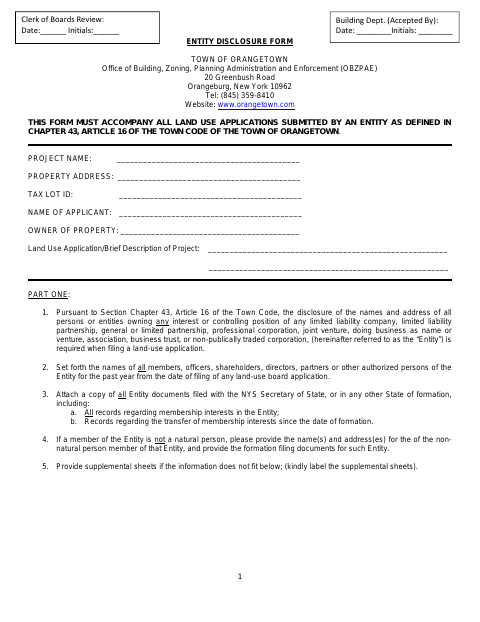
The Entity Disclosure Form identifies ownership, control, and potential Town connections for a business entity submitting a land-use application to the Town of Orangetown.
- licensed online notary
- ~15 min average
- Notarized PDF emailed
What you’ll need
- Government-issued photo ID
- Webcam-enabled device (laptop or phone)
- This form, ready to upload as a PDF
What this form is
The Town requires this form with all land-use applications submitted by an entity. It collects the entity’s formation details, information about people with ownership or control interests, and disclosures about connections to Town departments, agencies, or land-use boards. The applicant must attach specified entity records and update information with the Clerk of the Boards within 30 days after a change.
Who needs it
A business entity submitting a land-use application to the Town of Orangetown must provide this disclosure and supporting entity documents.
Why it needs a notary
The form has a jurat; the entity representative signing the sworn statement must sign and swear to its truth before the notary.
How to get this notarized
- 1
Download The Form
Get the Entity Disclosure Form from the Town of Orangetown.
- 2
Fill In Entity Details
Complete the project, property, entity, ownership, control, and Town-connection sections. Attach required entity records and labeled supplements.
- 3
Book An Online Notary
Arrange a remote session with a commissioned online notary for the form’s jurat.
- 4
Sign On Video
Swear to the statement and sign during the video session, following the notary’s instructions.
- 5
Submit To The Town
Include the completed form with the entity’s land-use application submitted to the Town.
Preview the form
The blank PDF straight from Orangetown. Look it over, then upload your filled copy to start the notary session.

You’ll need ID and a webcam.
A licensed online notary will join you on video, verify your government-issued ID, witness your signature, and apply their seal. You’ll receive the notarized PDF by email when the session ends.
Frequently asked questions
- How do I complete the Entity Disclosure Form?
- Provide the entity and project details, list people with interests or control, answer the Town-connection questions, attach required entity records, and complete the sworn statement before a notary.
- Do I need to sign the form in front of a notary?
- Yes. The form ends with a sworn statement and a jurat. The entity representative must swear to the statement and sign before the notary.
- Can I use a commissioned online notary?
- New York authorizes remote online notarization for its own notaries. You can sign before a commissioned online notary during a video session; confirm with the city, town or village if unsure.
- What supporting documents does the form request?
- The form requests copies of entity documents filed with the New York Secretary of State or in another state of formation, including records about membership interests and transfers.