
Pinebluff, NC · Moore County
Utility Service Request
Use this form to start or cancel water, sewer, and garbage service in Pinebluff; customers provide account, contact, address, and move details.
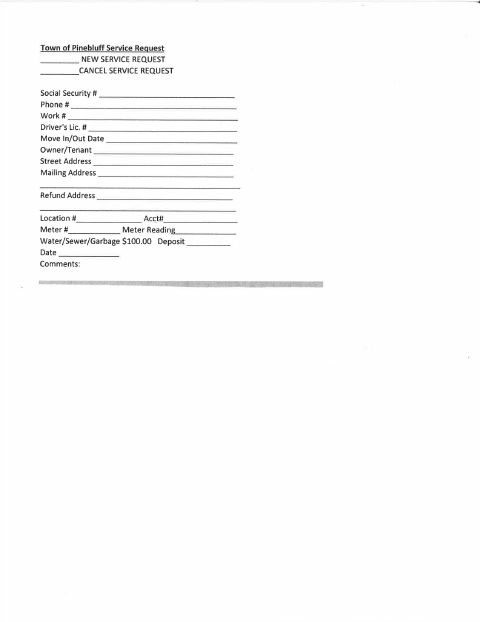
What this form is
This form lets a customer request new service or cancel service for the Town of Pinebluff's water, sewer, and garbage utilities. It asks for contact and identification details, move-in or move-out date, owner or tenant status, service and mailing addresses, account and meter information, and a comments field. The form lists a $100.00 deposit but does not explain payment or submission instructions.
Who needs it
Customers starting or canceling Town of Pinebluff water, sewer, or garbage service can use this form to provide their service details.
How to submit it
Submit it to the city department named on the form; check the city website for current contact details.
About notarization
This service request is completed without a notary; the signer just signs and dates it, and the form lists no notarized attachment or sworn step.
How to submit this form
- 1
Download The Form
Download the Town of Pinebluff Service Request PDF.
- 2
Complete The Request
Select new service or cancel service and fill in the requested contact, address, move, account, and meter details.
- 3
Review The Deposit
Note that the form lists a $100.00 deposit.
- 4
Submit To The City
Submit the form to the city department named on it; check the city website for current contact details.
Frequently asked questions
- What is the Pinebluff Utility Service Request for?
- It lets customers request new water, sewer, and garbage service or cancel service. The form collects contact, address, move, account, and meter details.
- Who should complete this service request?
- A customer starting or canceling Town of Pinebluff water, sewer, or garbage service can complete the form with their service and contact information.
- Do I need a notary for the Pinebluff Utility Service Request?
- No. This document is completed without a notary; the signer just signs and dates it. The form does not list a notarized attachment or sworn step.
- How do I submit the Pinebluff Utility Service Request?
- The form does not provide submission details. Submit it to the city department named on the form and check the city website for current contact details.
Need something notarized?
This Utility Service Request doesn’t need a notary — but if you have another Pinebluff form that does, a commissioned online notary can help.