
Prineville, OR · Crook County
Consent to Annexation
This form records property owners’ and resident electors’ consent to annexation into the City of Prineville, for submission with the property description and resident information.
- licensed online notary
- ~15 min average
- Notarized PDF emailed
What you’ll need
- Government-issued photo ID
- Webcam-enabled device (laptop or phone)
- This form, ready to upload as a PDF
What this form is
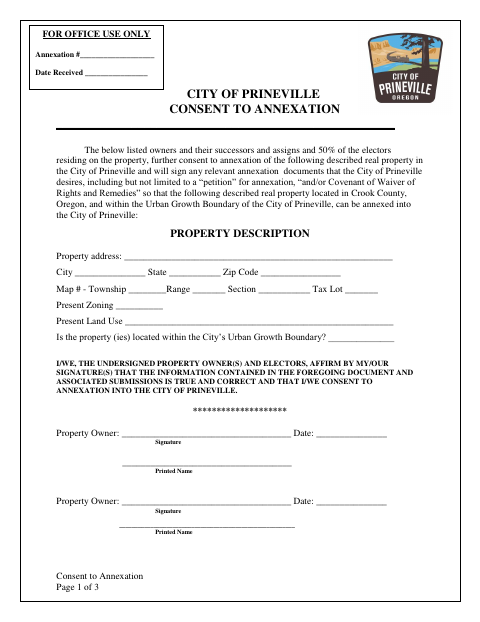
Property owners and resident electors use this form to affirm that the submitted information is true and consent to annexation of the described real property into the City of Prineville. It identifies the property and includes signatures for owners and resident electors, plus a confidential section for housing and resident information. The form says signers may also need to sign other annexation documents the city desires, including a petition or covenant of waiver of rights and remedies.
Who needs it
Property owners and resident electors associated with property in Prineville’s urban growth boundary use this form to give consent for annexation.
Why it needs a notary
The property owner signatures require notarization in the acknowledgment block; the form specifically says to notarize property owner signatures only.
How to get this notarized
- 1
Download the Form
Get the City of Prineville Consent to Annexation form.
- 2
Complete the Property Details
Enter the property description and complete the relevant owner, resident elector, housing, and resident information.
- 3
Book an Online Notary
Schedule an online appointment to notarize the property owner signatures.
- 4
Sign on Video
Join the video appointment and sign the property owner signature lines as directed by the notary.
- 5
Submit to the City
Submit the completed form to the City of Prineville as part of the annexation process.
Preview the form
The blank PDF straight from Prineville. Look it over, then upload your filled copy to start the notary session.

You’ll need ID and a webcam.
A licensed online notary will join you on video, verify your government-issued ID, witness your signature, and apply their seal. You’ll receive the notarized PDF by email when the session ends.
Frequently asked questions
- How do I complete the Prineville Consent to Annexation?
- Fill in the property details and applicable owner and resident elector information. Signatures should be completed as directed, and the property owner signatures must be notarized.
- Do I need to notarize every signature on the form?
- No. The form’s notary section says to notarize property owner signatures only. The resident elector signature lines do not appear in that acknowledgment block.
- Can I use an online notary for this form?
- Oregon law authorizes remote notarization by a commissioned online notary under ORS 194.277. The Oregon Secretary of State FAQ confirms a properly notarized remote online document is valid in Oregon.
- What information does the form request?
- It requests property details, owner and resident elector signatures, and confidential housing and resident information. Confirm with the city or county clerk if unsure about submission requirements.