
Woonsocket, RI · Providence County
Property Manager Permission Letter for Stickers
This letter lets a property owner give a property manager permission related to bulk-item and white-goods stickers for properties in Woonsocket.
- licensed online notary
- ~15 min average
- Notarized PDF emailed
What you’ll need
- Government-issued photo ID
- Webcam-enabled device (laptop or phone)
- This form, ready to upload as a PDF
What this form is
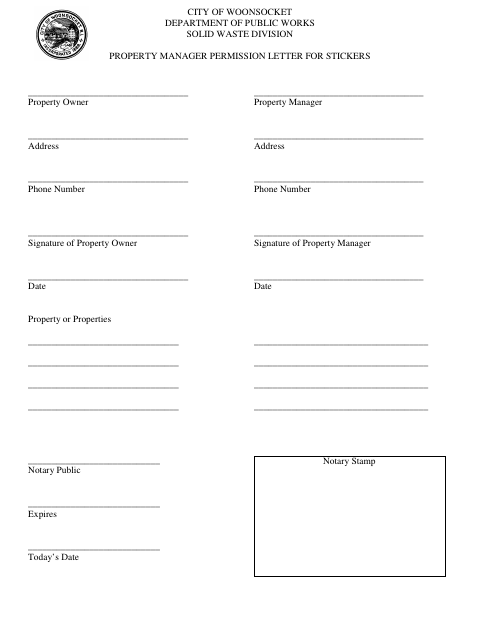
The City of Woonsocket Department of Public Works Solid Waste Division form records the property owner’s and property manager’s names, addresses, phone numbers, signatures, and dates. It also identifies the property or properties and provides fields for a notary public’s details and stamp. Use it to document the owner’s permission for the manager in connection with bulk-item and white-goods stickers.
Who needs it
A property owner and property manager may use this form to document permission related to bulk-item and white-goods stickers for one or more properties.
Why it needs a notary
The form has a Notary Public line, expiration field, date field, and stamp area; the property owner and property manager sign the letter.
How to get this notarized
- 1
Download the Form
Get the Property Manager Permission Letter for Stickers from the City of Woonsocket.
- 2
Fill In the Details
Enter the owner’s and manager’s details, list the property or properties, and complete the dates.
- 3
Book an Online Notary
Arrange a video appointment with a commissioned online notary.
- 4
Sign on Video
Follow the notary’s instructions for signing and completing the notary fields.
- 5
Submit to the City
Submit the completed permission letter to the City of Woonsocket Department of Public Works Solid Waste Division.
Preview the form
The blank PDF straight from Woonsocket. Look it over, then upload your filled copy to start the notary session.

You’ll need ID and a webcam.
A licensed online notary will join you on video, verify your government-issued ID, witness your signature, and apply their seal. You’ll receive the notarized PDF by email when the session ends.
Frequently asked questions
- How do I get this permission letter notarized online?
- Complete the form and book with a commissioned online notary. The property owner and property manager can sign during a video session, then submit the completed letter to the City of Woonsocket.
- Do I need to include every property?
- The form provides space to list properties and includes separate owner and manager contact and signature lines. Ask the city if you need additional space for your properties.
- Does Rhode Island allow online notarization?
- Rhode Island law authorizes remote online notarization by a commissioned online notary. Confirm that the city will accept this notarized form before submitting it.
- Where should I check if I am unsure about submitting the form?
- Contact the City of Woonsocket Department of Public Works Solid Waste Division; confirm with the city or town clerk if unsure.