
Mount Pleasant, SC · Charleston County
Nonconversion Agreement for Elevated Floodplain Structures
This agreement documents a property owner’s commitment to keep the ground floor of an elevated floodplain structure from being converted to living space without required compliance, for a Mount Pleasant building permit.
- licensed online notary
- ~15 min average
- Notarized PDF emailed
What you’ll need
- Government-issued photo ID
- Webcam-enabled device (laptop or phone)
- This form, ready to upload as a PDF
What this form is
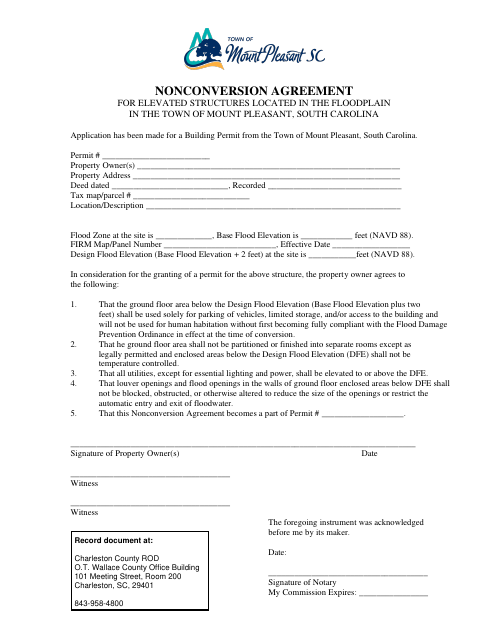
Mount Pleasant uses this agreement when a building permit application concerns an elevated structure in the floodplain. The property owner agrees to limits on use and finishing of the ground floor below the design flood elevation, utility placement, and flood openings. The agreement becomes part of the building permit, and the form directs the applicant to record the signed document with the Charleston County Register of Deeds.
Who needs it
Property owners applying for a Mount Pleasant building permit for an elevated structure in the floodplain need this agreement to document the required ground-floor use commitments.
Why it needs a notary
The form contains an acknowledgment stating the instrument was acknowledged before a notary; each property owner signing the agreement must appear before the notary.
How to get this notarized
- 1
Download The Agreement
Download the Nonconversion Agreement for elevated floodplain structures from the Town of Mount Pleasant.
- 2
Complete The Property Details
Fill in the permit number, owner and property information, flood details, and other requested fields.
- 3
Book An Online Notary
Arrange an appointment with a commissioned online notary and have each property owner ready to sign.
- 4
Sign On Video
Appear before the notary by video, acknowledge the agreement, and complete the notarial process.
- 5
Submit And Record
Submit the signed agreement as part of the permit process and follow the form’s direction to record it with Charleston County.
Preview the form
The blank PDF straight from Mount Pleasant. Look it over, then upload your filled copy to start the notary session.

You’ll need ID and a webcam.
A licensed online notary will join you on video, verify your government-issued ID, witness your signature, and apply their seal. You’ll receive the notarized PDF by email when the session ends.
Frequently asked questions
- How do I complete the Nonconversion Agreement?
- Fill in the permit and property details, have each property owner sign before a commissioned online notary, then submit the signed agreement as directed for the permit and county recording.
- Do I need to sign this agreement before a notary?
- Yes. The form includes an acknowledgment stating that the instrument was acknowledged before a notary, with a space for the notary’s signature and commission expiration.
- Can I use an online notary for this South Carolina form?
- South Carolina has not authorized its own notaries to perform remote online notarizations. South Carolina law recognizes certain out-of-state notarial acts; confirm that the city and recording office will accept your notarized document before signing.
- Where do I record the signed agreement?
- The form directs recording with the Charleston County Register of Deeds. Documents headed to a register of deeds may be e-recorded where supported, usually through a title company; confirm with the city or town if unsure.