
Surfside Beach, SC · Horry County
Non-Conversion Agreement and Affidavit
This agreement records an owner’s floodplain restrictions for a permitted structure; the property owner submits it to the Town of Surfside Beach as a condition of receiving a Certificate of Occupancy.
- licensed online notary
- ~15 min average
- Notarized PDF emailed
What you’ll need
- Government-issued photo ID
- Webcam-enabled device (laptop or phone)
- This form, ready to upload as a PDF
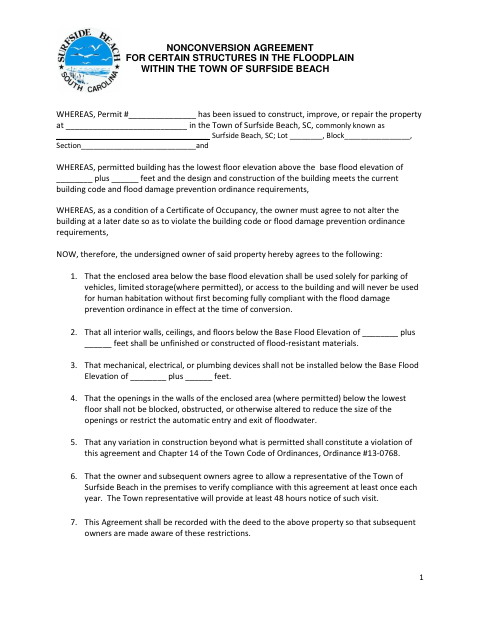
What this form is
The agreement limits how the enclosed area below the base flood elevation may be used and sets requirements for materials, openings, and building equipment. The property owner agrees to these restrictions and to allow an annual compliance visit with at least 48 hours’ notice. The form states it must be recorded with the property deed so future owners are aware of the restrictions.
Who needs it
The owner of a permitted property with a structure in the floodplain must complete this agreement when the Town requires it as a condition of a Certificate of Occupancy.
How to get this notarized
- 1
Download the Form
Get the Non-Conversion Agreement and Affidavit from the Town of Surfside Beach.
- 2
Fill In the Property Details
Enter the permit number, property and flood elevation details, and the date requested on the form.
- 3
Arrange the Owner and Witness Signatures
The owner signs with two witnesses. The subscribing witness must be prepared to swear that they saw the owner sign.
- 4
Book an Online Notary
Arrange a commissioned online notary for the subscribing witness’s oath and check that the form’s witness requirements can be met.
- 5
- 6
Submit and Record the Agreement
Submit the completed agreement as the Town directs. The form says it must be recorded with the property deed.
Preview the form
The blank PDF straight from Surfside Beach. Look it over, then upload your filled copy to start the notary session.

You’ll need ID and a webcam.
A licensed online notary will join you on video, verify your government-issued ID, witness your signature, and apply their seal. You’ll receive the notarized PDF by email when the session ends.
Frequently asked questions
- How do I complete the Non-Conversion Agreement and Affidavit?
- Fill in the permit and property details, have the owner sign with two witnesses, and have the subscribing witness take the oath before a notary. Submit the completed form as the Town directs.
- Do I need a notary for this form?
- Yes. The form includes a jurat for a subscribing witness to swear that they saw the owner sign the agreement. The witness signs and takes the oath before the notary.
- Can I use an online notary for the witness’s oath?
- South Carolina has not authorized remote online notarization by its own notaries. A commissioned online notary acting under the law of the jurisdiction where the notarization occurs may provide a certificate recognized in South Carolina; confirm with the city or town if unsure.
- What happens after the agreement is signed?
- The form says the agreement must be recorded with the property deed so subsequent owners know about the restrictions. Ask the Town how to submit it and check with the county or title company about recording.