
Surfside Beach, SC · Horry County
Owner Notice of Improvement Affidavit
This affidavit gives public notice that a property owner constructed or improved a residential building as an unlicensed builder and is filed with the Horry County Register of Deeds.
- licensed online notary
- ~15 min average
- Notarized PDF emailed
What you’ll need
- Government-issued photo ID
- Webcam-enabled device (laptop or phone)
- This form, ready to upload as a PDF
What this form is
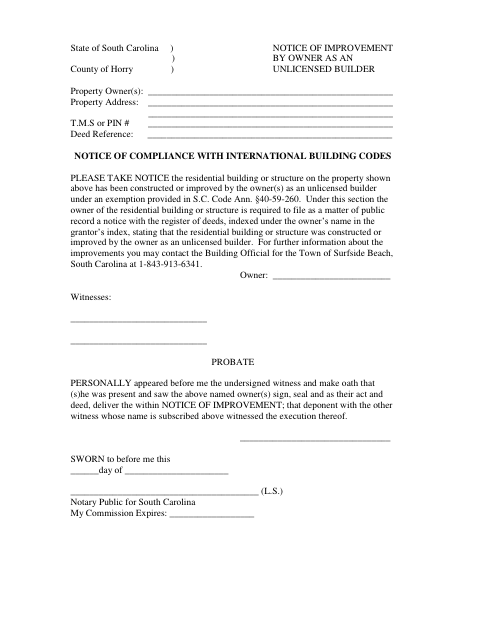
The form identifies the owner and property, then states that the residential building or structure was constructed or improved by the owner as an unlicensed builder. The form says the notice must be filed as a public record with the register of deeds and indexed under the owner’s name. It also includes a sworn statement from a witness who saw the owner sign and deliver the notice.
Who needs it
A property owner who constructed or improved a residential building as an unlicensed builder and must file notice with the register of deeds needs this form.
Why it needs a notary
The form has a jurat: the witness who saw the owner sign and deliver the notice swears to that fact before the notary.
How to get this notarized
- 1
Download The Form
Get the Owner Notice of Improvement Affidavit from the Town of Surfside Beach.
- 2
Fill In The Property Details
Enter the owner’s name, property address, T.M.S. or PIN number, and deed reference.
- 3
Book An Online Notary
Arrange a session with a commissioned online notary for the witness oath.
- 4
Sign And Swear On Video
Have the owner sign with witnesses, then have the witness who saw the signing swear to the statement before the notary.
- 5
Submit To The Register Of Deeds
File the completed notice with the register of deeds as a public record.
Preview the form
The blank PDF straight from Surfside Beach. Look it over, then upload your filled copy to start the notary session.

You’ll need ID and a webcam.
A licensed online notary will join you on video, verify your government-issued ID, witness your signature, and apply their seal. You’ll receive the notarized PDF by email when the session ends.
Frequently asked questions
- How do I complete the owner notice of improvement affidavit?
- Enter the owner and property details, have the owner sign with witnesses, and have the witness who saw the signing swear to it before a notary. Submit the completed notice to the register of deeds.
- Do I need a witness to sign before the notary?
- Yes. The form includes a sworn statement by a witness who says they saw the owner sign and deliver the notice. That witness must swear to the statement before the notary.
- Can I use online notarization for this form?
- South Carolina has not authorized remote online notarization by its own notaries. A qualifying notarial act performed under the law of the jurisdiction where it is made may be recognized in South Carolina; confirm with the city or town if unsure.
- Where do I file the completed notice?
- The form states that the notice must be filed as a public record with the register of deeds and indexed under the owner’s name.
Other forms in Surfside Beach
Hold Harmless Agreement/Permit for Shoreline Construction Along Public Right-of-Way
Surfside Beach
Bulkhead/Seawall Permit Application
Surfside Beach
Non-Conversion Agreement and Affidavit
Surfside Beach
Stormwater Drainage Easement with Affidavit
Surfside Beach
Stormwater Maintenance Covenant
Surfside Beach