
Manor, TX · Travis County
Candidate Election Guidelines Acknowledgment
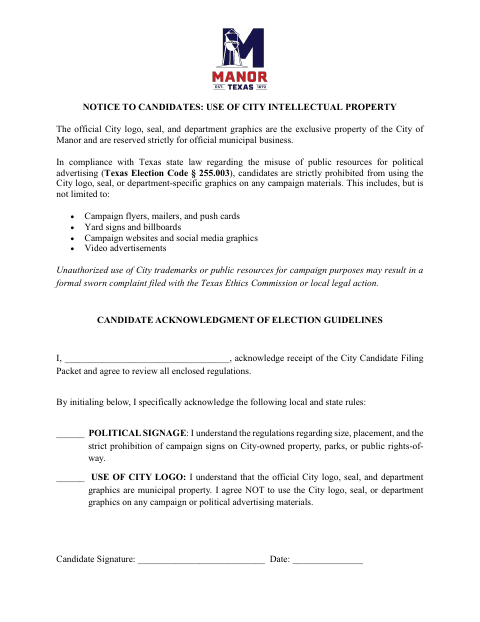
Candidates use this acknowledgment to confirm receipt of the City Candidate Filing Packet and review rules about political signs and City graphics.
What this form is
The acknowledgment records a candidate’s receipt of the City Candidate Filing Packet and confirms their understanding of political-signage rules and the prohibition on using City graphics in campaign materials. The document does not state when or where to submit it. It asks for the candidate’s name, initials beside two statements, signature, and date.
Who needs it
Candidates who receive the City Candidate Filing Packet and are asked to acknowledge its election guidelines can complete this document.
How to submit it
Submit it to the city department named on the form; check the city website for current contact details.
About notarization
This document is signed and dated without a notary; it mentions a possible formal sworn complaint, but the acknowledgment itself does not require one.
How to submit this form
- 1
Download The Acknowledgment
Download the Candidate Election Guidelines Acknowledgment PDF.
- 2
Complete The Candidate Details
Enter your name and initial the statements about political signage and use of City graphics.
- 3
Sign And Date
Sign and date the acknowledgment; the document lists no attachments.
- 4
Submit To The City
Submit it to the city department named on the form; check the city website for current contact details.
Frequently asked questions
- What does the Candidate Election Guidelines Acknowledgment cover?
- It records receipt of the City Candidate Filing Packet and acknowledgment of rules about political signs and using City logos, seals, or department graphics.
- Who completes this acknowledgment?
- A candidate who receives the City Candidate Filing Packet can enter their name, initial the two statements, and sign and date the acknowledgment.
- Do I need a notary for the Candidate Election Guidelines Acknowledgment?
- No. The acknowledgment is signed and dated without a notary. The document mentions a possible formal sworn complaint, but that is not a notarization requirement for this form.
- How do I submit the Candidate Election Guidelines Acknowledgment?
- The document does not give submission instructions. Submit it to the city department named on the form; check the city website for current contact details.
Need something notarized?
This Candidate Election Guidelines Acknowledgment doesn’t need a notary — but Texas residents can notarize other documents online with a commissioned online notary.