
Department of Planning and Natural Resources, VI · St. Thomas
Virgin Islands Inventory Form 1
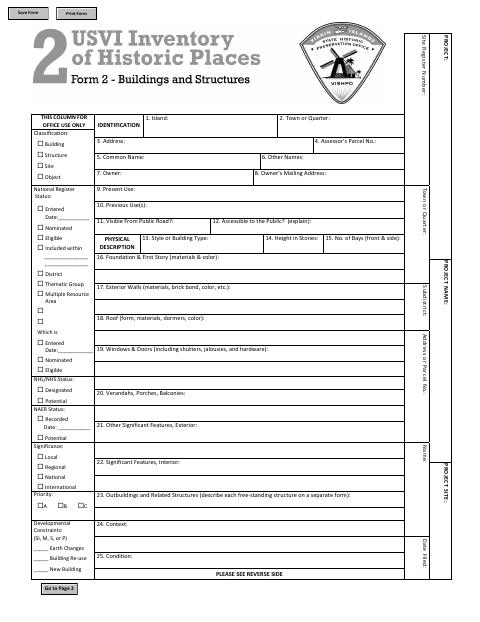
This form records identifying, physical, historical, and photographic details about a building, structure, site, or object for an inventory submission.
What this form is
Use this form to document a building, structure, site, or object, including its location, ownership, physical features, condition, history, and significance. It also requests information about photographs, a site plan, and the person who prepared the form. The document does not state when the city requires it or where to submit it.
Who needs it
A person preparing an inventory record for a building, structure, site, or object can use this form to document its details.
How to submit it
Submit it to the city department named on the form; check the city website for current contact details.
About notarization
No notary is required; the form provides fields for the preparer and date, and the signer just signs and dates it.
How to submit this form
- 1
Download the Form
Download the Virgin Islands Inventory Form 1 PDF.
- 2
Complete the Inventory Details
Fill in the identification, physical description, historical description, and other applicable fields.
- 3
Gather Photographs and Site Plan
Prepare the photograph and site plan information requested by the form.
- 4
Submit to the City
Submit the completed form to the city department named on it; check the city website for current contact details.
Frequently asked questions
- What information does the Virgin Islands Inventory Form 1 request?
- It requests location and ownership details, building or site characteristics, condition and historical information, and details about photographs and a site plan.
- Who uses this inventory form?
- A person preparing an inventory record for a building, structure, site, or object can complete it. The form includes fields for the preparer, address, and date.
- Do I need a notary for the Virgin Islands Inventory Form 1?
- No. The form has no notary block; it provides fields for the preparer and date, and the signer just signs and dates it.
- How do I submit the Virgin Islands Inventory Form 1?
- The form does not give submission instructions. Submit it to the city department named on the form, and check the city website for current contact details.
Need something notarized?
This Virgin Islands Inventory Form 1 doesn’t need a notary — but if you have another Department of Planning and Natural Resources form that does, a commissioned online notary can help.