
Herriman, UT · Salt Lake County
Rezone Application
Herriman property owners or their authorized agents use this application to request a zoning change and provide property, applicant, development, and notarized affidavit information.
- licensed online notary
- ~15 min average
- Notarized PDF emailed
What you’ll need
- Government-issued photo ID
- Webcam-enabled device (laptop or phone)
- This form, ready to upload as a PDF
What this form is
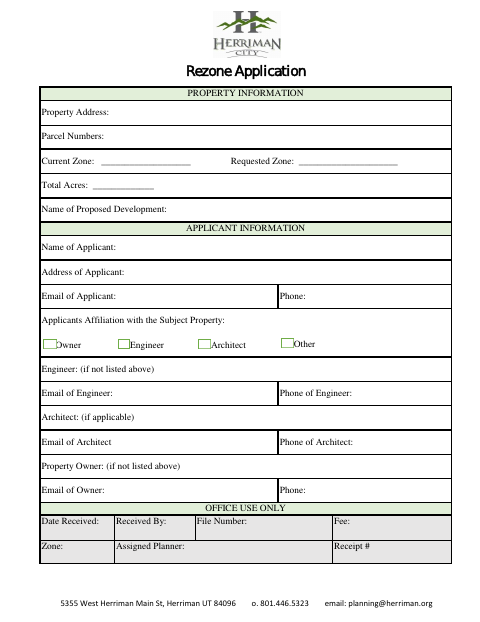
The Rezone Application collects property details, the current and requested zones, applicant contact information, and information about a proposed development. The applicant’s affidavit confirms the application statements are true to the signer’s knowledge, while the agent authorization lets an appointed agent represent the property owner before city boards. The form is for people seeking a zoning change in Herriman; complete the applicable sections and submit the application to the city.
Who needs it
A property owner or authorized agent seeking a zoning change in Herriman needs this form to provide application details and the required affidavit.
Why it needs a notary
The form has notary certificates for the Applicant’s Affidavit and Agent Authorization; the applicant and property owner sign their respective statements before a commissioned online notary.
How to get this notarized
- 1
Download the Application
Get the Herriman Rezone Application and review its property, applicant, affidavit, and agent authorization sections.
- 2
Fill In Applicable Sections
Enter the property and applicant details, and complete the affidavit or agent authorization that applies.
- 3
Book an Online Notary
Arrange a remote notarization for the applicable statement and follow the notary’s instructions.
- 4
Sign on Video
Appear by video and sign the applicable section when instructed by the commissioned online notary.
- 5
Submit to Herriman
Submit the completed application to Herriman City using its current submission instructions.
Preview the form
The blank PDF straight from Herriman. Look it over, then upload your filled copy to start the notary session.

You’ll need ID and a webcam.
A licensed online notary will join you on video, verify your government-issued ID, witness your signature, and apply their seal. You’ll receive the notarized PDF by email when the session ends.
Frequently asked questions
- How do I get the Herriman Rezone Application notarized online?
- Complete the form, then book a commissioned online notary. The signer appears by video, presents identification, and signs the applicable statement as directed during the notarization.
- Do I need to notarize both sections of the form?
- The form includes a notary certificate after the Applicant’s Affidavit and another after Agent Authorization. Complete and notarize the section or sections that apply to your application.
- Can a commissioned online notary notarize this Utah form?
- Utah authorizes its notaries to perform remote notarizations with a remote notary certification under Utah Code §§46-1-3.5 and 46-1-3.6. Check with Herriman about accepting your completed form.
- Where should I submit the completed application?
- The form lists Herriman City’s Planning Department at 5355 West Herriman Main St, Herriman, UT 84096, and [email protected]. Confirm submission instructions with the city.
- Will the notarized form be accepted for recording?
- The application is addressed to Herriman City, and the form does not explain recording requirements. Confirm with the city or county recorder if unsure.
Rezone Application in other Utah cities
Each city publishes its own version of this form. Pick the city where you’re filing.