
Langley, WA · Island County
Applicant Authorization Form
Property owners use this form to authorize an agent or contractor to submit permit applications on their behalf and receive future correspondence about those applications.
- licensed online notary
- ~15 min average
- Notarized PDF emailed
What you’ll need
- Government-issued photo ID
- Webcam-enabled device (laptop or phone)
- This form, ready to upload as a PDF
What this form is
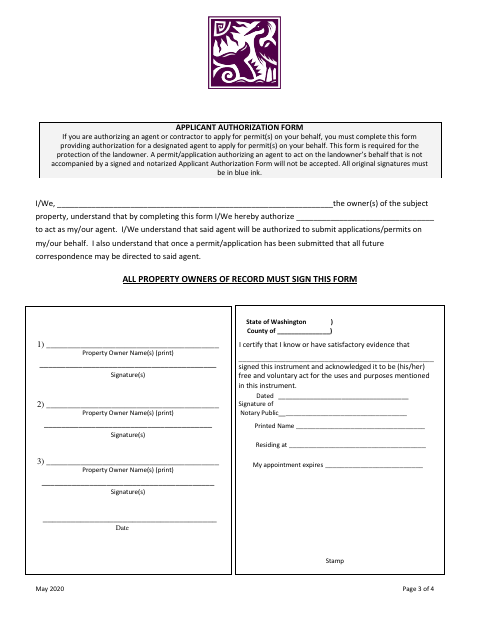
Langley requires this form when a property owner authorizes an agent or contractor to apply for permits on the owner’s behalf. It identifies the property owner and designated agent, and lets the agent submit applications or permits and receive future correspondence. The city says an application authorizing an agent will not be accepted without a signed and notarized form, and all property owners of record must sign in blue ink.
Who needs it
Property owners of record who want an agent or contractor to submit permit applications on their behalf must complete and sign this form.
Why it needs a notary
The form includes an acknowledgment stating that each signer acknowledged the instrument as a free and voluntary act; all property owners of record must sign before the notary.
How to get this notarized
- 1
Download the Form
Get Langley’s Applicant Authorization Form from the city website.
- 2
Fill In the Form
Enter the property owner and designated agent information; have all owners of record prepare to sign in blue ink.
- 3
Book an Online Notary
Arrange a remote session with a commissioned online notary.
- 4
Sign on Video
All property owners of record sign during the online notary session and complete the acknowledgment.
- 5
Submit to the City
Include the signed and notarized form with the permit application authorizing the agent.
Preview the form
The blank PDF straight from Langley. Look it over, then upload your filled copy to start the notary session.

You’ll need ID and a webcam.
A licensed online notary will join you on video, verify your government-issued ID, witness your signature, and apply their seal. You’ll receive the notarized PDF by email when the session ends.
Frequently asked questions
- How do I authorize an agent to apply for permits?
- Complete the form with the property owner and agent information, have all owners of record sign before a commissioned online notary, then submit it with the permit application.
- Do I need to have this form notarized?
- Yes. Langley says it will not accept an application authorizing an agent unless the Applicant Authorization Form is signed and notarized.
- Can I sign this form with an online notary?
- Washington authorizes its notaries to perform remote online notarizations. Use a commissioned online notary, and confirm with the city or town if unsure.
- Who must sign the Applicant Authorization Form?
- All property owners of record must sign. The form also asks for the owners’ printed names and says original signatures must be in blue ink.