
Oroville, WA · Okanogan County
Boundary Line Adjustment Form
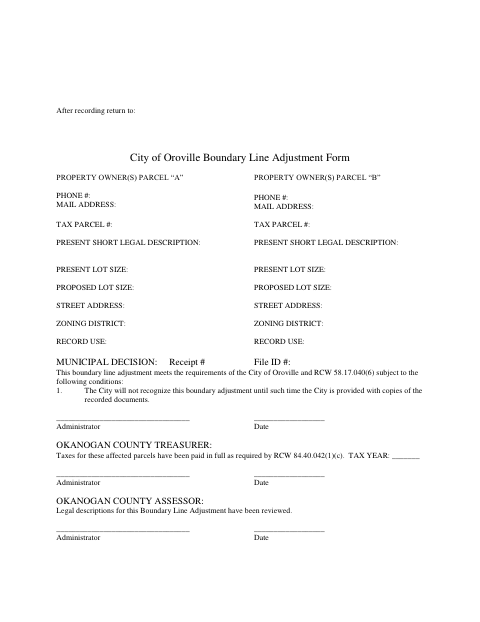
This form documents a proposed boundary line adjustment between property parcels and is completed by the owners seeking review by the City of Oroville and the county offices identified on the form.
- licensed online notary
- ~15 min average
- Notarized PDF emailed
What you’ll need
- Government-issued photo ID
- Webcam-enabled device (laptop or phone)
- This form, ready to upload as a PDF
What this form is
The form collects owner, parcel, lot-size, zoning, and property-use information for Parcels A and B, along with space for municipal, treasurer, and assessor review. Owners acknowledge the adjustment, agree to hold the City harmless, consent to the proposed property lines, and waive certain claims related to public roads; the City states it will not recognize the adjustment until it receives copies of the recorded documents.
Who needs it
Owners of the properties involved in a proposed boundary line adjustment can use this form to provide parcel information and give the required consent and waiver.
Why it needs a notary
The form includes an acknowledgment block stating that owners personally appear before the notary and acknowledge signing the statement as their free and voluntary act.
How to get this notarized
- 1
Download the Form
Download the City of Oroville Boundary Line Adjustment Form.
- 2
Fill In Parcel Details
Complete the requested owner, parcel, lot-size, zoning, and property-use information for Parcels A and B.
- 3
Book an Online Notary
Arrange an online notary appointment for the owners who need to sign the acknowledgment.
- 4
Sign on Video
Each required owner appears before the notary and acknowledges signing the form.
- 5
Record and Submit
Complete the review and recording process, then provide the recorded documents to the City of Oroville.
Preview the form
The blank PDF straight from Oroville. Look it over, then upload your filled copy to start the notary session.

You’ll need ID and a webcam.
A licensed online notary will join you on video, verify your government-issued ID, witness your signature, and apply their seal. You’ll receive the notarized PDF by email when the session ends.
Frequently asked questions
- How do I complete the boundary line adjustment form?
- Enter the requested information for Parcels A and B, have each required owner sign the acknowledgment before a notary, complete the review and recording process, then provide recorded copies to the City.
- Do I need a notary for this form?
- Yes. The form includes an acknowledgment block for the owners, who must personally appear before a notary and acknowledge their signatures.
- Can I sign this form with an online notary?
- Washington authorizes remote online notarization by its notaries under RCW 42.45.280. Confirm with the city or town if unsure whether it will accept a remotely notarized form.
- What happens after the form is recorded?
- The form says the City will not recognize the boundary adjustment until it receives copies of the recorded documents. It also provides spaces for county treasurer and assessor review.
Other forms in Oroville
Boundary Line Adjustment Form in other Washington cities
Each city publishes its own version of this form. Pick the city where you’re filing.