
DuPont, WA · Pierce County
Affidavit of Posting
Applicants or their agents use this form to report that they posted a notice at the site of a referenced project.
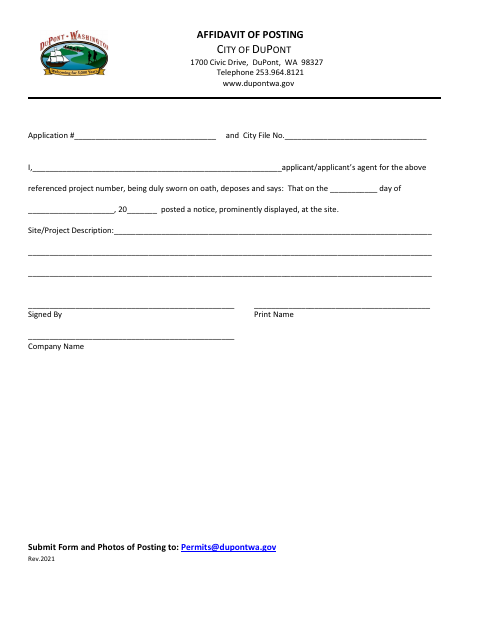
What this form is
This form records that a notice for a referenced project was prominently displayed at the site. It asks for the application and city file numbers, applicant or agent name, posting date, site or project description, signature, printed name, and company name. The form directs applicants to submit it with photos of the posting.
Who needs it
An applicant or the applicant’s agent for a referenced project uses this form to document that a notice was posted at the site.
How to submit it
The form directs applicants to submit the completed form and photos of the posting by email to [email protected] for the referenced project.
About notarization
This form has no notary block and is signed without a notary; it includes the applicant’s sworn statement, and photos of the posting must also be submitted.
How to submit this form
- 1
Download The Form
Download the Affidavit of Posting PDF.
- 2
Complete The Form
Enter the application and city file numbers, applicant or agent details, posting date, project description, and signature information.
- 3
Gather Posting Photos
Prepare photos of the notice posted at the site to submit with the form.
- 4
Email The Form
Email the completed form and posting photos to [email protected].
Frequently asked questions
- What is the Affidavit of Posting for?
- It documents that a notice for a referenced project was prominently displayed at the site and provides the posting date and project description.
- What should I submit with the form?
- Submit the completed form and photos of the posting. The form asks for the application and city file numbers, applicant or agent details, posting date, project description, signature, printed name, and company name.
- Do I need a notary for the Affidavit of Posting?
- No. The form has no notary block and is signed without a notary, though it includes the applicant’s sworn statement. Submit photos of the posting with the form.
- How do I submit the Affidavit of Posting?
- Email the completed form and photos of the posting to [email protected], as directed on the form.
Need something notarized?
This Affidavit of Posting doesn’t need a notary — but if you have another DuPont form that does, a commissioned online notary can help.