
Fife, WA · Pierce County
Easement Grant
This easement form grants the City of Fife rights to install and maintain utility lines across described property; property owners complete it when granting the city an easement.
- licensed online notary
- ~15 min average
- Notarized PDF emailed
What you’ll need
- Government-issued photo ID
- Webcam-enabled device (laptop or phone)
- This form, ready to upload as a PDF
What this form is
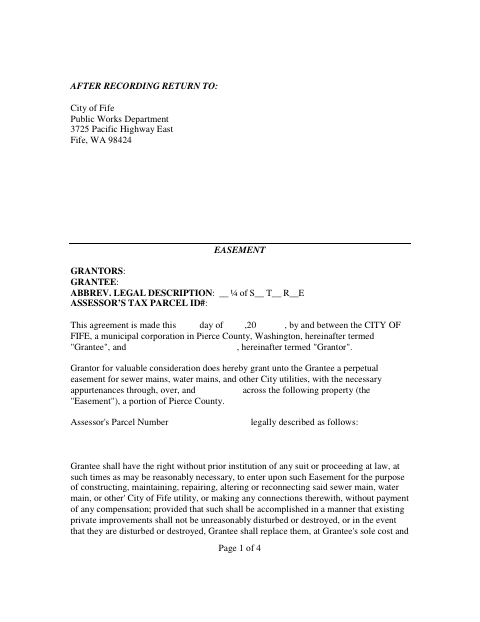
The form grants the City of Fife a perpetual easement across a described property for sewer mains, water mains, and other city utilities. It outlines the city’s access and maintenance rights, as well as the grantor’s continued use of the easement area. The grantor completes and signs the form when providing the easement. The form directs the completed document to the City of Fife Public Works Department after recording.
Who needs it
A property owner granting the City of Fife a utility easement across their property needs to complete and sign this form.
Why it needs a notary
The form includes an acknowledgment block; the grantor’s appearing signer acknowledges signing the easement before the notary.
How to get this notarized
- 1
Download The Easement Form
Download the City of Fife easement grant form and review its property and utility easement terms.
- 2
Fill In The Form
Enter the grantor, parcel, legal description, and other requested information.
- 3
Book An Online Notary
Schedule a session with a commissioned online notary for the grantor’s acknowledgment.
- 4
Sign On Video
The grantor signs during the live video session and completes the notarial acknowledgment.
- 5
Submit To The City
Follow the form’s instructions to have the document recorded, then return it to Fife Public Works.
Preview the form
The blank PDF straight from Fife. Look it over, then upload your filled copy to start the notary session.

You’ll need ID and a webcam.
A licensed online notary will join you on video, verify your government-issued ID, witness your signature, and apply their seal. You’ll receive the notarized PDF by email when the session ends.
Frequently asked questions
- How do I notarize the Fife easement grant online?
- Complete the form, then book with a commissioned online notary. The grantor signs during a live video session, and the notarized document can be submitted as directed by the city.
- Do I need to sign the easement grant in front of a notary?
- Yes. The form includes an acknowledgment for the grantor’s appearing signer to acknowledge signing before a notary.
- Can I use an online notary for this form?
- Washington authorizes remote online notarization by its own notaries. Ask the City of Fife whether it accepts the remotely notarized document; confirm with the city or town if unsure.
- Where does the completed easement form go?
- The form says to return it after recording to the City of Fife Public Works Department at 3725 Pacific Highway East, Fife, WA 98424.