
Windsor, CA · Sonoma County
Volunteer Waiver of Liability, Medical Release, and Photo Consent
This waiver and release is for people participating in a Town of Windsor-sponsored activity and records their emergency medical authorization and photo preference.
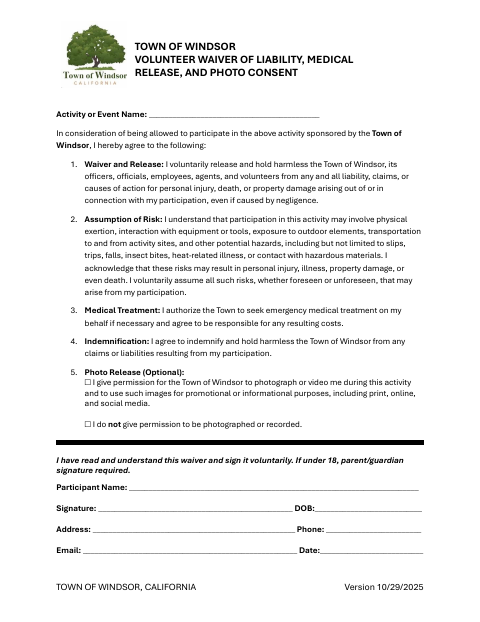
What this form is
Participants use this document to acknowledge risks and release the Town of Windsor from liability connected with their participation in a sponsored activity. It also authorizes the Town to seek emergency medical treatment and lets participants choose whether the Town may photograph or record them. The form asks for the activity name, participant contact information, date of birth, signature, and date; a parent or guardian must sign if the participant is under 18.
Who needs it
Anyone participating in an activity sponsored by the Town of Windsor should complete the waiver, with a parent or guardian signing for participants under 18.
How to submit it
Submit it to the city department named on the form; check the city website for current contact details.
About notarization
This document is signed without a notary; it lists no notarized or sworn attachment, so the participant (and parent or guardian if under 18) signs and dates it.
How to submit this form
- 1
Download The Waiver
Download the Town of Windsor Volunteer Waiver of Liability, Medical Release, and Photo Consent.
- 2
Complete The Form
Enter the activity name and participant details, choose a photo consent option, and sign and date the waiver.
- 3
Get A Parent Or Guardian Signature
If the participant is under 18, have a parent or guardian sign.
- 4
Submit The Waiver
Submit it to the city department named on the form; check the city website for current contact details.
Frequently asked questions
- Who should complete the Windsor volunteer waiver?
- People participating in a Town of Windsor-sponsored activity should complete the waiver. A parent or guardian must sign for a participant under 18.
- What information does the waiver ask for?
- It asks for the activity name, participant name and contact information, date of birth, signature, and date. It also includes choices about photo and video consent.
- Do I need a notary for the Volunteer Waiver of Liability?
- No. This document is signed without a notary and lists no notarized or sworn attachment; the participant signs and dates it, or a parent or guardian does so if the participant is under 18.
- How do I submit the volunteer waiver?
- Submit it to the city department named on the form; check the city website for current contact details.
Need something notarized?
This Volunteer Waiver of Liability, Medical Release, and Photo Consent doesn’t need a notary — but if you have another Windsor form that does, a commissioned online notary can help.