
Lone Tree, CO · Douglas County
Site Improvement Plan Improvements Agreement
This agreement sets requirements for completing and securing site improvements; a developer submits it to the City of Lone Tree after approval of a site improvement plan when required.
At a glance
- Issued by
- City of Lone Tree · Lone Tree, Douglas County, Colorado
- Notarization
- Required: sign this form in front of a notary before filing it.
- Official source
- cityoflonetree.com
- Blank form
- Download the PDF
- Catalogued
- Machine-readable
- JSON record · about the forms index
- licensed online notary
- ~15 min average
- Notarized PDF emailed
What you’ll need
- Government-issued photo ID
- Webcam-enabled device (laptop or phone)
- This form, ready to upload as a PDF
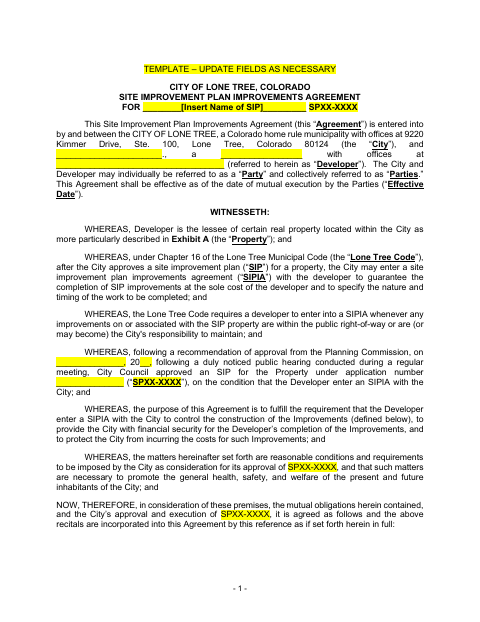
What this form is
The agreement documents the developer’s commitment to construct approved public infrastructure, provide financial security, obtain permits, and meet inspection, warranty, and acceptance requirements. Lone Tree requires a SIP Improvements Agreement when improvements are within the public right-of-way or are, or may become, the City’s responsibility to maintain; the form also describes the City’s condition of approval for the site improvement plan.
Who needs it
A developer whose approved site improvement plan includes improvements in the public right-of-way or improvements that are, or may become, the City’s responsibility to maintain needs this agreement.
Why it needs a notary
The form carries an acknowledgment before a notary public; the developer’s representative signs the agreement and acknowledges it in the notary’s presence.
How to get this notarized
- 1
Download The Agreement
Get the Site Improvement Plan Improvements Agreement template and its exhibits from the City of Lone Tree.
- 2
Complete The Agreement
Fill in the project, developer, property, approval, and other applicable details, and prepare the required exhibits with the City.
- 3
Book An Online Notary
Schedule a remote appointment for the developer representative who will acknowledge the agreement.
- 4
Sign On Video
The representative signs and acknowledges the agreement during the online notary session.
- 5
Submit To The City
Provide the completed agreement to the City of Lone Tree as part of the site improvement plan process.
Preview the form
The blank PDF straight from Lone Tree. Look it over, then upload your filled copy to start the notary session.

You’ll need ID and a webcam.
A licensed online notary will join you on video, verify your government-issued ID, witness your signature, and apply their seal. You’ll receive the notarized PDF by email when the session ends.
Frequently asked questions
- How do I get the developer acknowledgment notarized?
- Complete the agreement and arrange for the developer representative who will sign to meet with a commissioned online notary. Sign during the video session, then submit the completed agreement to the City of Lone Tree.
- Do I need to sign this agreement before a notary?
- Yes. The form includes an acknowledgment before a notary public for the developer representative. The agreement also requires signatures from the developer and the City.
- Can I notarize this agreement online?
- Colorado authorizes remote online notarization by its notaries under C.R.S. §24-21-514.5. Ask the City whether it will accept an online-notarized agreement for your filing.
- When does Lone Tree require a SIP Improvements Agreement?
- The form says the City requires one when improvements on or associated with a site improvement plan are within the public right-of-way or are, or may become, the City’s responsibility to maintain. Confirm with the city or town if unsure.