
Mount Crested Butte, CO · Gunnison County
Affidavit of Residency
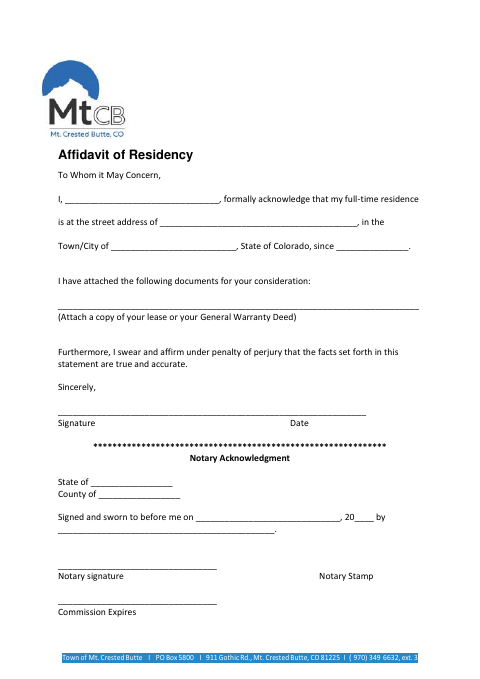
This affidavit lets a person declare their full-time residence in Mount Crested Butte and submit a lease or General Warranty Deed for consideration.
At a glance
- Issued by
- City of Mount Crested Butte · Mount Crested Butte, Gunnison County, Colorado
- Notarization
- Required: sign this form in front of a notary before filing it.
- Official source
- mtcb.colorado.gov
- Blank form
- Download the PDF
- Catalogued
- Machine-readable
- JSON record · about the forms index
- licensed online notary
- ~15 min average
- Notarized PDF emailed
What you’ll need
- Government-issued photo ID
- Webcam-enabled device (laptop or phone)
- This form, ready to upload as a PDF
What this form is
Use this form to state your full-time residence address in the Town of Mount Crested Butte and the date your residency began. The form asks you to attach a copy of your lease or General Warranty Deed and swear that the information is true and accurate. It is addressed “To Whom it May Concern”; the form does not specify the particular city process or recipient that requires it.
Who needs it
A person declaring a full-time residence at a Mount Crested Butte address may use this affidavit and attach a lease or General Warranty Deed.
How to get this notarized
- 1
Download The Affidavit
Get the Mount Crested Butte Affidavit of Residency and review its fields and notary block.
- 2
Fill In Your Details
Enter your name, full-time residence address, town or city, and residency start date. Attach a copy of your lease or General Warranty Deed.
- 3
Book An Online Notary
Schedule an online notarization with a commissioned online notary.
- 4
Sign On Video
Join the video session and sign the affidavit when directed, swearing that its statements are true and accurate.
- 5
Submit The Affidavit
After notarization, send the completed affidavit and attachment to the recipient requesting it.
Preview the form
The blank PDF straight from Mount Crested Butte. Look it over, then upload your filled copy to start the notary session.

You’ll need ID and a webcam.
A licensed online notary will join you on video, verify your government-issued ID, witness your signature, and apply their seal. You’ll receive the notarized PDF by email when the session ends.
Frequently asked questions
- How do I notarize this residency affidavit online?
- Complete the form, book a commissioned online notary, and sign during the video session when instructed. Attach a copy of your lease or General Warranty Deed and submit the completed affidavit to the intended recipient.
- Do I need to attach proof of my residence?
- The form says to attach a copy of your lease or your General Warranty Deed for consideration. It does not list other supporting documents.
- Does this affidavit include a jurat?
- Yes. Its notary block says the signer signed and swore to the affidavit before the notary, and includes spaces for the state, county, date, notary signature, stamp, and commission expiration.
- Can I use a commissioned online notary for this form?
- Colorado authorizes remote online notarization by its notaries under C.R.S. §24-21-514.5. The form requires the signer to swear to the statement before a notary; confirm with the city or town if unsure.