
Snowmass Village, CO · Pitkin County
Affidavit of Insurance
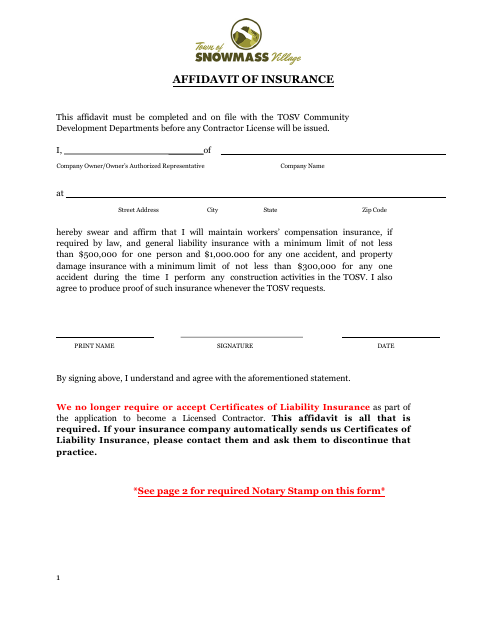
The Affidavit of Insurance is completed by a contractor or authorized company representative and filed with Snowmass Village Community Development before the Village issues a contractor license.
- licensed online notary
- ~15 min average
- Notarized PDF emailed
What you’ll need
- Government-issued photo ID
- Webcam-enabled device (laptop or phone)
- This form, ready to upload as a PDF
What this form is
This affidavit states that the contractor will maintain workers’ compensation insurance when required by law, general liability coverage at the stated minimum limits, and property damage insurance during construction activities in Snowmass Village. The form also commits the signer to provide proof of coverage when requested. Community Development must have the completed affidavit on file before issuing a contractor license; the form says certificates of liability insurance are not required or accepted as part of the application.
Who needs it
Contractors applying for a Snowmass Village license, or their company owner or authorized representative, must file this affidavit with Community Development.
How to get this notarized
- 1
Download the Affidavit
Download the Affidavit of Insurance from the Snowmass Village form page.
- 2
Complete the Form
Enter the company and representative information, review the insurance commitments, and leave the notary section for the notarial session.
- 3
Book an Online Notary
Schedule an online notarization with a commissioned online notary and have identification ready.
- 4
Sign on Video
Sign and swear to the affidavit in the online session, then obtain the completed notarized form.
- 5
Submit to the City
File the notarized affidavit with Snowmass Village Community Development before the contractor license is issued.
Preview the form
The blank PDF straight from Snowmass Village. Look it over, then upload your filled copy to start the notary session.

You’ll need ID and a webcam.
A licensed online notary will join you on video, verify your government-issued ID, witness your signature, and apply their seal. You’ll receive the notarized PDF by email when the session ends.
Frequently asked questions
- How do I notarize the Affidavit of Insurance online?
- Complete the affidavit, book a session with a commissioned online notary, and sign and swear to it during the video session. Confirm the Village’s submission requirements before filing.
- Do I need to sign the affidavit in front of a notary?
- Yes. The form includes a jurat stating “Subscribed and sworn to before me,” so the company owner or authorized representative must sign and swear to the affidavit before the notary.
- Can I use an online notary for this form?
- Colorado law authorizes remote online notarization by a commissioned online notary under C.R.S. §24-21-514.5. Confirm with the city or town if unsure whether Snowmass Village accepts this notarized form online.
- Where do I file the completed affidavit?
- The form says the affidavit must be on file with the TOSV Community Development Departments before a contractor license will be issued. Contact the department for current filing instructions.