
Bloomfield, CT · Hartford County
Motor Vehicle Soldiers and Sailors Tax Exemption Claim
This sworn claim is for active-duty service members seeking a personal property tax exemption under the federal Soldiers’ and Sailors’ Civil Relief Act and filing with a Connecticut town assessor.
- licensed online notary
- ~15 min average
- Notarized PDF emailed
What you’ll need
- Government-issued photo ID
- Webcam-enabled device (laptop or phone)
- This form, ready to upload as a PDF
What this form is
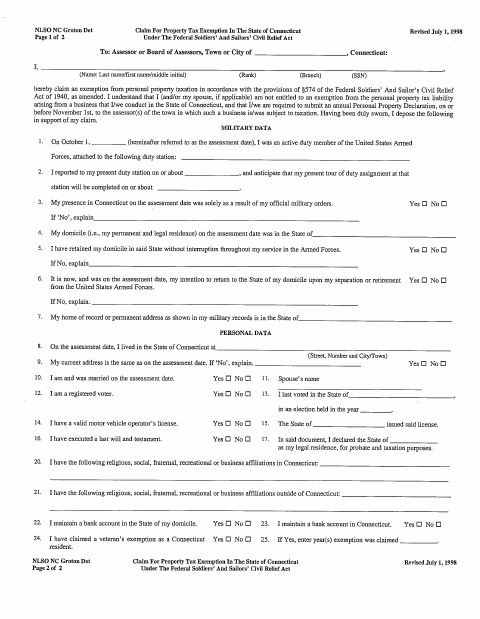
This two-page claim asks about the service member’s military status, domicile, Connecticut residence, tax history, property, and any business located in Connecticut. It is submitted to the town or city assessor when a service member claims an exemption from personal property taxation under the federal act named on the form. The claimant must complete the relevant sections and swear to the information provided.
Who needs it
An active-duty service member claiming the described personal property tax exemption should complete this form and submit it to the assessor for the town where the property is located.
How to get this notarized
- 1
Download the Claim
Get the two-page Motor Vehicle Soldiers and Sailors tax exemption claim.
- 2
Complete the Applicable Fields
Provide the requested military, personal, tax, and property information, and review your answers.
- 3
Book an Online Notary
Arrange a video appointment with a commissioned online notary before signing.
- 4
Sign on Video
Sign and swear to the claim in front of the notary during your online session.
- 5
Submit to the Assessor
Send the completed, notarized claim to the assessor or board of assessors.
Preview the form
The blank PDF straight from Bloomfield. Look it over, then upload your filled copy to start the notary session.

You’ll need ID and a webcam.
A licensed online notary will join you on video, verify your government-issued ID, witness your signature, and apply their seal. You’ll receive the notarized PDF by email when the session ends.
Frequently asked questions
- How do I get the Soldiers and Sailors tax claim notarized?
- Complete the applicable fields, then meet with a commissioned online notary by video. Sign and swear to the claim during the notarization, and submit it to the assessor.
- Do I need to sign this claim in front of a notary?
- Yes. The form includes a signature for the affiant and a notary block stating that the claim was subscribed and sworn to.
- Can I use an online notary for this form?
- Connecticut authorizes remote online notarization for its own notaries under Public Act 23-28, codified at Conn. Gen. Stat. §3-95b, effective October 1, 2023. Conn. Gen. Stat. §1-57 recognizes certain notarial acts performed outside Connecticut. Confirm acceptance with the town clerk if unsure.
- Where do I submit the completed claim?
- The form is addressed to the assessor or board of assessors for the town or city. Contact the assessor for submission instructions.