
Maui County, HI · Maui County
Water System Cost Affidavit
This form itemizes the costs of water system improvements and is completed by the developer or subdivider for a project on a specified Tax Map Key.
- licensed online notary
- ~15 min average
- Notarized PDF emailed
What you’ll need
- Government-issued photo ID
- Webcam-enabled device (laptop or phone)
- This form, ready to upload as a PDF
What this form is
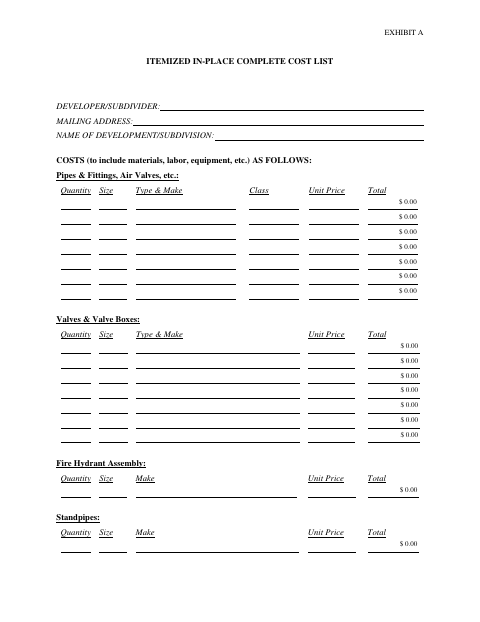
Exhibit A lists costs for water system components and related work, including pipes, valves, hydrants, tanks, pumps, engineering, and chlorination. The affiant swears that the attached itemization includes all costs incurred for the project at the stated Tax Map Key. The completed form provides project cost information for use in a Maui County water-system submission.
Who needs it
A developer or subdivider completing a water-system project cost submission for a project identified by its Tax Map Key needs this affidavit.
How to get this notarized
- 1
Download the Form
Download the Water System Cost Affidavit and its Exhibit A itemized cost list.
- 2
Fill In Project Costs
Enter the developer or subdivider details, project name, Tax Map Key, and applicable quantities and costs.
- 3
Book an Online Notary
Arrange an online notarization for the affiant who will swear to the affidavit.
- 4
- 5
Submit to the County
Submit the completed, notarized form with the applicable Maui County water-system project materials.
Preview the form
The blank PDF straight from Maui County. Look it over, then upload your filled copy to start the notary session.

You’ll need ID and a webcam.
A licensed online notary will join you on video, verify your government-issued ID, witness your signature, and apply their seal. You’ll receive the notarized PDF by email when the session ends.
Frequently asked questions
- How do I complete the Water System Cost Affidavit?
- Itemize project costs in Exhibit A, complete the affidavit for the project’s Tax Map Key, then sign under oath before a notary and submit the completed form with your county materials.
- Do I need to sign the affidavit in front of a notary?
- Yes. The form includes a subscribed-and-sworn jurat, so the affiant must swear to the statement before the notary completes the jurat.
- Can I sign this form with an online notary?
- Hawaii authorizes remote online notarization under HRS §§456-23 and 456-24. A notary must hold an active commission and obtain a separate remote online notary commission from the Attorney General.
- What project costs should Exhibit A include?
- The form lists water-system components and related costs, including pipes, valves, hydrants, service laterals, tanks, pumps, engineering, and chlorination. Confirm with the county if unsure.