
Wilmington, IL · Greene County
Conditional Use Application Supplement
This five-page supplement provides project details and justification for a conditional use request, and is completed by the applicant or property owner filing with the City of Wilmington.
- licensed online notary
- ~15 min average
- Notarized PDF emailed
What you’ll need
- Government-issued photo ID
- Webcam-enabled device (laptop or phone)
- This form, ready to upload as a PDF
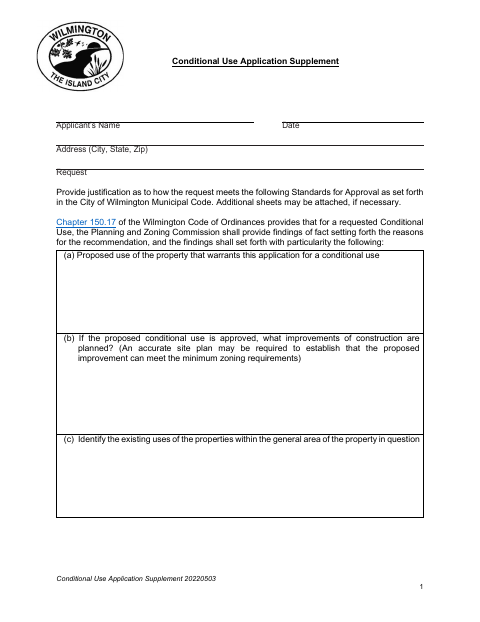
What this form is
Use this supplement with a conditional use request to explain the proposed property use and improvements, nearby properties and zoning, and potential effects on property values and public welfare. It also asks about public facilities, consistency with the comprehensive plan, and how the request meets approval standards. The form includes petition questions, a choice about taking responsibility for written notices, and a sworn signature for the applicant or owner.
Who needs it
An applicant or property owner seeking a conditional use from the City of Wilmington should complete this supplement and provide the requested justification for the proposal.
How to get this notarized
- 1
Download The Supplement
Get the Conditional Use Application Supplement from the City of Wilmington.
- 2
Fill In The Request
Add applicant and property details, explain how the request meets the approval standards, and complete the petition questions.
- 3
Book An Online Notary
Arrange a remote session with a commissioned online notary for the jurat.
- 4
Sign On Video
Show identification, take the required oath, and sign while the notary observes.
- 5
Submit To The City
Send the completed supplement to the City of Wilmington with the conditional use request.
Preview the form
The blank PDF straight from Wilmington. Look it over, then upload your filled copy to start the notary session.

You’ll need ID and a webcam.
A licensed online notary will join you on video, verify your government-issued ID, witness your signature, and apply their seal. You’ll receive the notarized PDF by email when the session ends.
Frequently asked questions
- How do I complete the conditional use supplement?
- Provide the requested project justification, answer the petition questions, select your notice preference, and sign under oath before a notary. Then submit the completed form to the City.
- Do I need to sign this form before a notary?
- Yes. The form includes a subscribed-and-sworn jurat for the applicant or owner’s signature, so the signer must take an oath before the notary.
- Can I sign the supplement with an online notary?
- Illinois law (5 ILCS 312) authorizes electronic and remote notarization for its own notaries, and Illinois recognizes notarial acts performed outside the state by an officer authorized where the act occurs (765 ILCS 30). Use a commissioned online notary and confirm with the city or village if unsure.
- Who must attend the public hearing?
- The form states that the owner or an authorized agent must be present at the public hearing to present the request to the Plan Commission.