
Carmel, IN · Hamilton County
Waiver of Development Design Standards Application
This application requests a waiver from Carmel development or design standards and is filed by a petitioner seeking relief for a property as part of a primary plat application.
- licensed online notary
- ~15 min average
- Notarized PDF emailed
What you’ll need
- Government-issued photo ID
- Webcam-enabled device (laptop or phone)
- This form, ready to upload as a PDF
What this form is
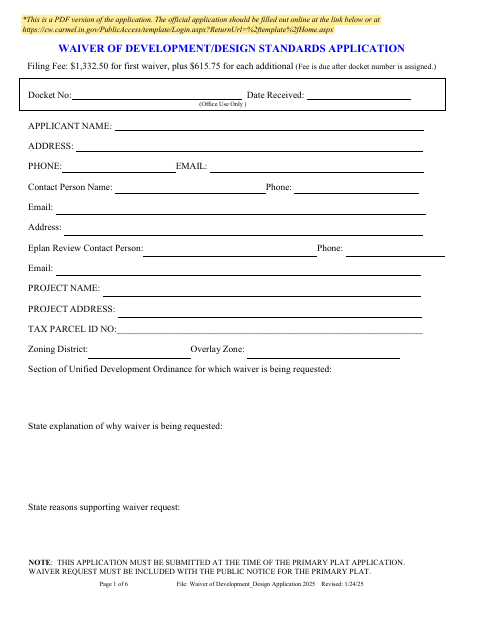
The application identifies the property, the Unified Development Ordinance section at issue, and the reasons and supporting grounds for the requested waiver. Carmel requires the waiver request to be submitted with the primary plat application and included with its public notice. The packet also includes affidavits concerning placement of the public notice sign and notice to adjacent property owners, plus notice and findings-of-fact pages for the Plan Commission process.
Who needs it
A petitioner seeking a Carmel development or design standards waiver should complete this application with the primary plat application and prepare the included public-notice materials.
Why it needs a notary
The packet includes sworn affidavits with jurat language; the petitioner signs the sign-placement and adjacent-owner-notice affidavits before a notary.
How to get this notarized
- 1
Download the Application
Download the Waiver of Development/Design Standards Application PDF from the City of Carmel.
- 2
Complete the Form
Provide the applicant and project details, identify the ordinance section, and explain the waiver request and supporting reasons.
- 3
Book an Online Notary
Arrange an online notarization for the petitioner affidavits that contain jurat blocks.
- 4
Sign on Video
Sign the affidavits during the online notary session, following the notary’s instructions.
- 5
Submit to Carmel
Submit the application with the primary plat application and include the waiver request with the public notice.
Preview the form
The blank PDF straight from Carmel. Look it over, then upload your filled copy to start the notary session.

You’ll need ID and a webcam.
A licensed online notary will join you on video, verify your government-issued ID, witness your signature, and apply their seal. You’ll receive the notarized PDF by email when the session ends.
Frequently asked questions
- How do I complete the notarized affidavits?
- Fill in the affidavit details, then sign the petitioner affidavits before a commissioned online notary. Submit the completed application and required public-notice materials to Carmel.
- Do I need to notarize the entire application?
- The form includes notarized jurat blocks for the public notice sign placement affidavit and the petitioner’s affidavit of notice of public hearing. The remaining application pages do not show notary blocks.
- Can a commissioned online notary notarize these affidavits?
- Indiana law provides for a remote notary public endorsement under IC 33-42-17, effective July 1, 2020; IC 33-42-9-8 recognizes certain out-of-state notarial acts. Confirm with the city or town if unsure.
- When must I submit the waiver request?
- The form says the application must be submitted at the time of the primary plat application and that the waiver request must be included with the public notice for the primary plat.