
Hobart, IN · Lake County
Amendment to the Zoning Map Application
This application lets a property owner or authorized petitioner ask the Hobart Plan Commission to amend the zoning map and explain the proposed change and its justification.
- licensed online notary
- ~15 min average
- Notarized PDF emailed
What you’ll need
- Government-issued photo ID
- Webcam-enabled device (laptop or phone)
- This form, ready to upload as a PDF
What this form is
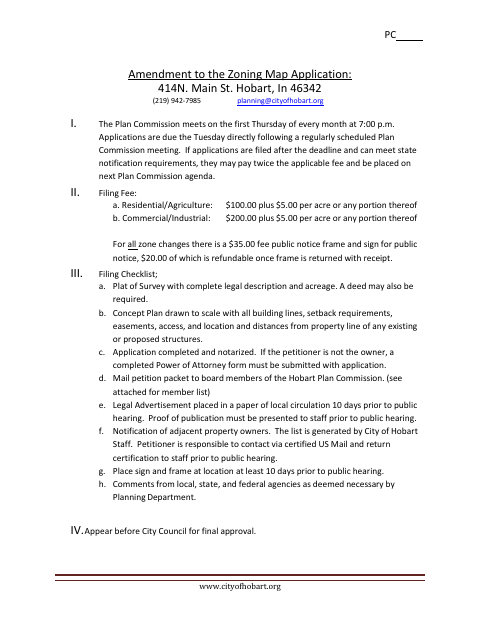
Use this application to request a zoning map amendment for real estate in Hobart and provide the property, petitioner, current and proposed zoning, acreage, and intended use. The form asks for findings supporting the change, and the city’s checklist requires a completed, notarized application along with a survey, concept plan, and other specified materials. Applicants must follow the stated filing deadlines and public-notice steps, appear before the Plan Commission, and seek final approval from the City Council.
Who needs it
A property owner or authorized petitioner seeking a Hobart zoning map change must complete this application and submit the materials listed in the city’s filing checklist.
Why it needs a notary
The application has a Notary Public block with commission-expiration and county fields; the petitioner signs the application before the notary.
How to get this notarized
- 1
Download the Application
Get the zoning map amendment application from the City of Hobart.
- 2
Complete the Form
Enter the property and petitioner information, proposed use, and findings supporting the requested zoning change.
- 3
Book an Online Notary
Arrange a session with a commissioned online notary for the petitioner’s signature.
- 4
Sign on Video
Sign the application during the online notary session and complete the notarization.
- 5
Submit to the City
Assemble the checklist materials and submit the application according to Hobart’s filing deadlines and instructions.
Preview the form
The blank PDF straight from Hobart. Look it over, then upload your filled copy to start the notary session.

You’ll need ID and a webcam.
A licensed online notary will join you on video, verify your government-issued ID, witness your signature, and apply their seal. You’ll receive the notarized PDF by email when the session ends.
Frequently asked questions
- How do I submit a zoning map amendment application?
- Complete and notarize the application, gather the survey and concept plan, and follow the checklist for filing, notices, and public hearing steps. Contact Hobart Planning with questions about submission.
- Do I need to notarize this application?
- Yes. Hobart’s filing checklist says the application must be completed and notarized. The form includes a Notary Public block for the petitioner’s signature.
- Can I sign the application with a commissioned online notary?
- Indiana permits a commissioned notary with a remote notary public endorsement to perform remote online notarizations. Confirm that the city will accept your remotely notarized application before submitting it.
- What materials accompany the application?
- The checklist calls for a plat of survey with legal description and acreage, a scaled concept plan, and other items such as a power of attorney if the petitioner is not the owner. Confirm with the city or town if unsure.