
Winfield, IN · Lake County
Utility Application
This application provides Winfield with project, site, traffic-control, contractor, and contact details for utility work, and is filed by the permit applicant before work begins.
At a glance
- Issued by
- City of Winfield · Winfield, Lake County, Indiana
- Notarization
- Required: sign this form in front of a notary before filing it.
- Official source
- winfield.in.gov
- Blank form
- Download the PDF
- Catalogued
- Machine-readable
- JSON record · about the forms index
- licensed online notary
- ~15 min average
- Notarized PDF emailed
What you’ll need
- Government-issued photo ID
- Webcam-enabled device (laptop or phone)
- This form, ready to upload as a PDF
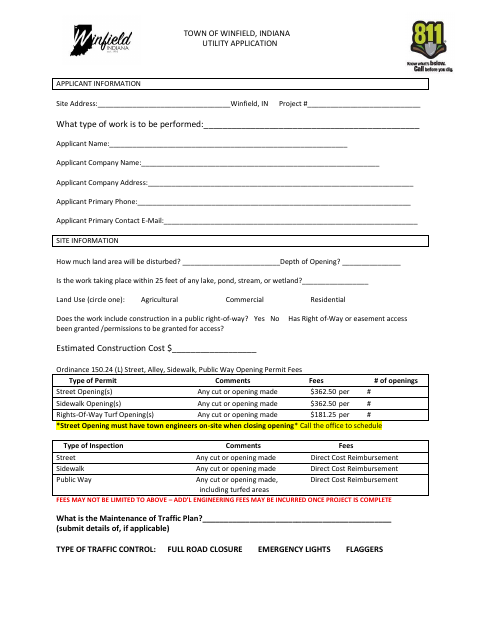
What this form is
The Town of Winfield uses this application to review proposed utility work, including street, sidewalk, and public-way openings, and to coordinate inspections, traffic control, and resident notifications. Applicants provide project and contractor information, follow the listed work and restoration requirements, and submit supporting plans and access documentation when required. The application also includes an attestation that the information is true and an agreement to follow town conditions; the permit is valid for six months from purchase.
Who needs it
A property owner, lessee, or contractor applying for a Winfield utility permit should complete the form and provide the required plans, access proof, and traffic plan when applicable.
Why it needs a notary
The form contains a jurat for the authorized person’s signature, with the notary recording the signer’s printed name, signature, county of residence, and commission expiration.
How to get this notarized
- 1
Download the Application
Get the Winfield Utility Application and review its project details, requirements, and work conditions.
- 2
Complete the Form
Enter applicant, site, contractor, traffic, and contact information; gather the drawings and other required supporting materials.
- 3
Book an Online Notary
Schedule a remote session with a commissioned online notary for the authorized-person jurat.
- 4
Sign on Video
Wait to sign until the notary directs you during the online appointment.
- 5
Submit to Winfield
Send the completed application and required supporting materials to the Town of Winfield.
Preview the form
The blank PDF straight from Winfield. Look it over, then upload your filled copy to start the notary session.

You’ll need ID and a webcam.
A licensed online notary will join you on video, verify your government-issued ID, witness your signature, and apply their seal. You’ll receive the notarized PDF by email when the session ends.
Frequently asked questions
- How do I complete the Winfield utility application?
- Fill in the project, site, traffic-control, contractor, and contact details. Attach the required drawings and site plan, plus access proof or a traffic plan when applicable, then sign the jurat before a commissioned online notary.
- Do I need to notarize this application?
- Yes. The application includes a State of Indiana and County of Lake jurat with spaces for a notary’s signature and commission expiration. The authorized person signs in front of the notary.
- Can I sign the application with an online notary?
- Indiana authorizes remote online notarization by a commissioned online notary. Book a session, show identification, and sign during the video appointment; confirm with the city or town if unsure.
- What supporting materials does Winfield request?
- The form requests detailed drawings and a project site plan. It also lists proof of right-of-way access, if required by engineering, and a Maintenance of Traffic Plan, if applicable.
Other forms in Winfield
Board of Zoning Appeals Administrative Decision Appeal Application
Winfield
Board of Zoning Appeals Application for Variance from Use
Winfield
Board of Zoning Appeals Application: Appeal of Administrative Decision
Winfield
Special Exception Application – Communications Facility
Winfield
Contractor Registration Application
Winfield
Demolition Permit Application and Affidavits
Winfield