
Springfield, MA · Hampden County
Architect/Engineer Affidavit
This affidavit lets an architect or engineer certify that a building was constructed or altered under their supervision and according to approved plans and the Massachusetts State Building Code.
- licensed online notary
- ~15 min average
- Notarized PDF emailed
What you’ll need
- Government-issued photo ID
- Webcam-enabled device (laptop or phone)
- This form, ready to upload as a PDF
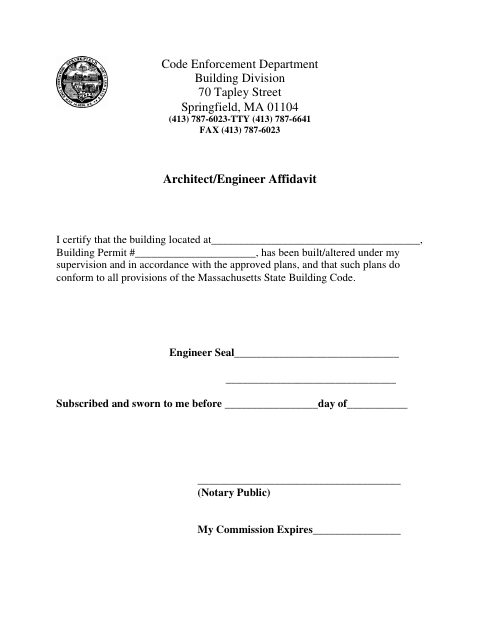
What this form is
The form identifies the building and building permit number, then provides space for the architect or engineer to certify that the work was supervised by them and followed approved plans that conform to the Massachusetts State Building Code. It is addressed to Springfield’s Code Enforcement Department, Building Division, and includes a notarial jurat. Submit it when requested in connection with the building permit or project.
Who needs it
An architect or engineer responsible for supervising building work may need this affidavit for submission to Springfield’s Code Enforcement Department, Building Division.
Why it needs a notary
The form carries a “Subscribed and sworn to me” jurat, so the architect or engineer making the certification signs and swears to it before the notary.
How to get this notarized
- 1
Download the Affidavit
Get the Architect/Engineer Affidavit from Springfield’s Code Enforcement Department, Building Division.
- 2
Fill In the Details
Enter the building location and building permit number. Review the certification before signing.
- 3
Book an Online Notary
Schedule a remote session with a commissioned online notary.
- 4
Sign on Video
Sign and swear to the affidavit during the online notarization session.
- 5
Submit to the City
Send the notarized affidavit to Springfield’s Code Enforcement Department, Building Division, following its instructions.
Preview the form
The blank PDF straight from Springfield. Look it over, then upload your filled copy to start the notary session.

You’ll need ID and a webcam.
A licensed online notary will join you on video, verify your government-issued ID, witness your signature, and apply their seal. You’ll receive the notarized PDF by email when the session ends.
Frequently asked questions
- How do I notarize the Architect/Engineer Affidavit online?
- Complete the building and permit details, then book a session with a commissioned online notary. Sign and swear to the affidavit during the video session, and submit the notarized form to the city.
- Do I need to sign the affidavit in front of a notary?
- Yes. The form includes a “Subscribed and sworn to me” jurat. The architect or engineer making the certification must sign and swear to it before the notary.
- Can I use an online notary for this Springfield form?
- Massachusetts permanently authorized remote online notarization for its own notaries effective January 1, 2024, under G.L. c. 222, §§27–29. Confirm the city’s submission requirements before filing.
- Where should I submit the notarized affidavit?
- The form is addressed to Springfield’s Code Enforcement Department, Building Division. Ask that department about filing instructions; confirm with the city or town clerk if unsure.