
Middleborough, MA · Plymouth County
Grant of Restrictive Covenant
This instrument grants the Town of Middleborough a land-use restriction benefiting the Town, and property owners complete it for property identified by map, lot, and deed book and page.
- licensed online notary
- ~15 min average
- Notarized PDF emailed
What you’ll need
- Government-issued photo ID
- Webcam-enabled device (laptop or phone)
- This form, ready to upload as a PDF
What this form is
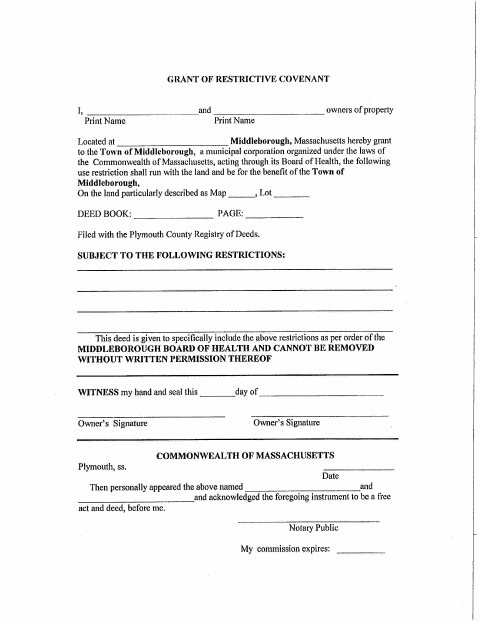
The Grant of Restrictive Covenant records a use restriction on specified land for the benefit of the Town of Middleborough, acting through its Board of Health. It identifies the property by map, lot, and deed book and page, and states that the restrictions are included under a Board of Health order and cannot be removed without the Board’s written permission. The form says it is filed with the Plymouth County Registry of Deeds.
Who needs it
Property owners granting the stated use restriction to the Town of Middleborough complete this form for the property described by map, lot, and deed information.
Why it needs a notary
The form carries an acknowledgment block stating the owners personally appeared and acknowledged the instrument as their free act and deed before the notary.
How to get this notarized
- 1
Download the Form
Download the Grant of Restrictive Covenant from the Town of Middleborough.
- 2
Fill In the Property Details
Enter the owner names and property details, including map, lot, and deed book and page.
- 3
Book an Online Notary
Schedule a remote appointment with a commissioned online notary.
- 4
Sign on Video
Sign and acknowledge the instrument during the notary’s video session.
- 5
Submit to the Town
Submit the completed instrument to the Town of Middleborough and follow its directions for filing with the Registry of Deeds.
Preview the form
The blank PDF straight from Middleborough. Look it over, then upload your filled copy to start the notary session.

You’ll need ID and a webcam.
A licensed online notary will join you on video, verify your government-issued ID, witness your signature, and apply their seal. You’ll receive the notarized PDF by email when the session ends.
Frequently asked questions
- How do I get the Grant of Restrictive Covenant notarized online?
- Complete the form, book an appointment with a commissioned online notary, and sign during the video session. Submit the signed instrument as directed by the Town.
- Do I need to appear before a notary to sign this form?
- Yes. The form’s acknowledgment says the owners personally appeared before a notary and acknowledged the instrument as their free act and deed.
- Can I use a commissioned online notary for this acknowledgment?
- Massachusetts permanently authorized remote online notarization for its own notaries effective January 1, 2024, under G.L. c. 222, §§27–29. Confirm that the Town will accept the notarized instrument.
- Where should I submit the completed covenant?
- The form states that it is filed with the Plymouth County Registry of Deeds. Confirm with the city or town clerk if unsure about the Town’s submission or filing directions.