
Billings, MT · Yellowstone County
Declaration and Signatures
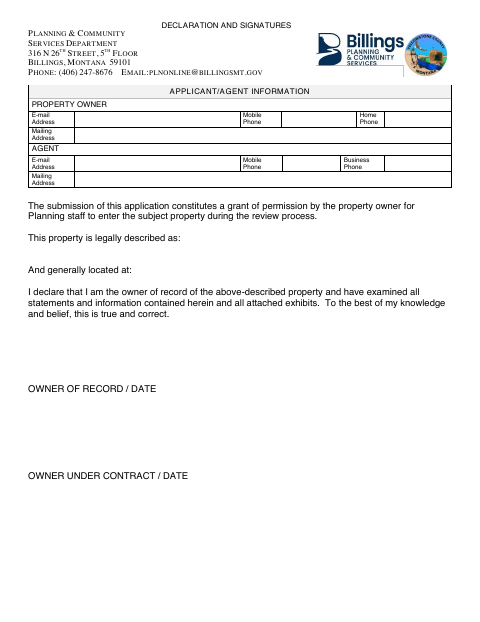
This form records property details, owner declarations, and contact information for an applicant or agent submitting a Planning application in Billings.
What this form is
This declaration and signature form accompanies a Planning application and gives staff permission to enter the property during the review process. It asks for the property's legal description and general location, an owner's declaration and signature date, and contact and mailing details for the property owner and applicant or agent. The document does not state when the city requires the form.
Who needs it
Property owners and applicants or agents use this form when submitting an application that includes a property declaration and signatures.
How to submit it
Submit it to the city department named on the form; check the city website for current contact details.
About notarization
This declaration is signed and dated without a notary; the form does not identify any notarized or sworn attachment or related step.
How to submit this form
- 1
Download The Form
Download the Declaration and Signatures form for your Planning application.
- 2
Complete The Form
Enter the legal description and general location, owner declaration, signature date, and owner and applicant or agent contact details.
- 3
Gather Attachments
The form refers to attached exhibits; include them if they are part of your application.
- 4
Submit To The City
Submit it to the city department named on the form; check the city website for current contact details.
Frequently asked questions
- What does the Declaration and Signatures form do?
- It records the property's legal description and general location, the owner's declaration, and contact details for the property owner and applicant or agent.
- Who uses this form?
- Property owners and applicants or agents use it with a Planning application that includes a property declaration and signatures.
- Do I need a notary for the Declaration and Signatures form?
- No. The declaration is signed and dated without a notary, and the form does not identify any notarized or sworn attachment or related step.
- How do I submit the Declaration and Signatures form?
- Submit it to the city department named on the form; check the city website for current contact details.
Need something notarized?
This Declaration and Signatures doesn’t need a notary — but if you have another Billings form that does, a commissioned online notary can help.