
Montville, NJ · Morris County
Land Development and Soil Movement Application
Montville Township’s application is for property owners and applicants seeking land-use board approval for development or soil movement on a property in the township.
- licensed online notary
- ~15 min average
- Notarized PDF emailed
What you’ll need
- Government-issued photo ID
- Webcam-enabled device (laptop or phone)
- This form, ready to upload as a PDF
What this form is
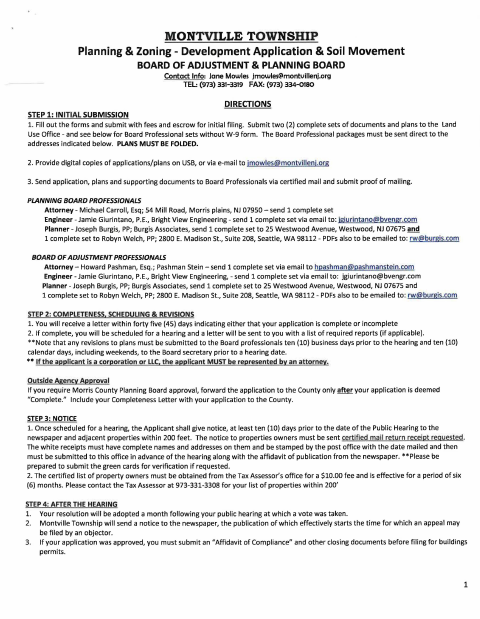
Use this application to request Planning Board or Board of Adjustment review for development proposals, variances, waivers, or soil movement. The form includes project and property details, required supporting materials, submission instructions, fees, and notices for public hearings. Montville requires a soil movement application for any quantity removed or imported as part of a development application, or for soil movement exceeding 500 cubic yards for a building permit application.
Who needs it
Property owners and applicants proposing development, seeking land-use board approval, or requesting covered soil movement in Montville must complete the relevant application sections.
Why it needs a notary
The applicant or property owner signs the applicable sworn certification before a notary; the affidavit of mailing also requires notarized signature and sworn subscription.
How to get this notarized
- 1
Download the Application
Get Montville Township’s Land Development and Soil Movement Application and review its instructions.
- 2
Complete the Applicable Sections
Enter property, applicant, and project details, select the application types, and gather required plans and supporting materials.
- 3
Book an Online Notary
Arrange a session with a commissioned online notary for the required sworn signatures.
- 4
Sign on Video
Sign the applicable certification or consent during the video session and complete any required notarized affidavit.
- 5
Submit to the Township
Submit the application, fees, escrow, plans, and required supporting documents as directed by Montville Township.
Preview the form
The blank PDF straight from Montville. Look it over, then upload your filled copy to start the notary session.

You’ll need ID and a webcam.
A licensed online notary will join you on video, verify your government-issued ID, witness your signature, and apply their seal. You’ll receive the notarized PDF by email when the session ends.
Frequently asked questions
- How do I get the Montville application notarized online?
- Complete the form sections that apply, then book a session with a commissioned online notary. Sign the required sworn statement during the video session and follow the form’s instructions for submitting your application.
- Do I need to notarize the whole application?
- No. The form marks the applicant certification and owner’s consent as requiring notarization when applicable. It also says the Affidavit of Mailing must be completed, signed, and notarized.
- Can I sign this form with an online notary?
- New Jersey permanently authorizes remote online notarization and remote ink notarization for its own notaries. Ask the Land Use Office whether it will accept an electronically notarized version; confirm with the municipality if unsure.
- What else must I submit with my application?
- The form calls for supporting documents and plans, fees and escrow, and digital copies. It also outlines separate submissions to board professionals and hearing notice requirements; check the applicable sections for your application.