
Babylon, NY · Suffolk County
Administrative Appeal Packet
This packet lets a respondent appeal a Town of Babylon administrative decision and includes sworn applications for a financial-hardship payment waiver and proof of service.
- licensed online notary
- ~15 min average
- Notarized PDF emailed
What you’ll need
- Government-issued photo ID
- Webcam-enabled device (laptop or phone)
- This form, ready to upload as a PDF
What this form is
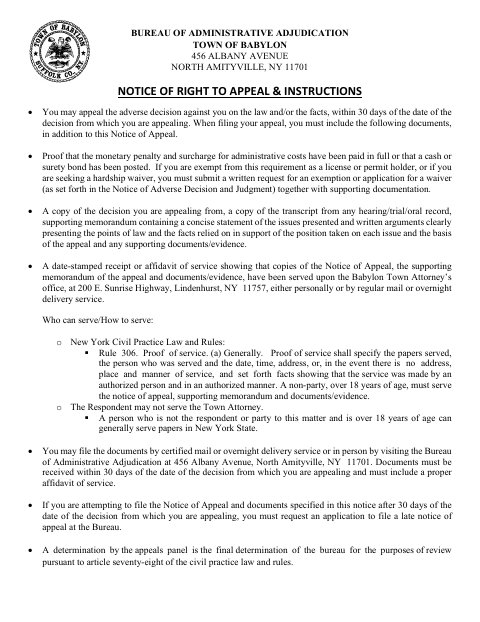
The packet contains a notice of appeal, appeal rules, an application for a financial-hardship waiver of prior payment, a late-appeal application, and an affidavit of service. The Bureau of Administrative Adjudication requires the appeal and supporting documents within 30 days of the decision; late filers must request an application to file late. The waiver application and affidavit of service require notarization, and filing instructions specify supporting documents and service on the Town Attorney.
Who needs it
A respondent appealing a Bureau of Administrative Adjudication decision may need this packet, including applicants requesting a hardship waiver or submitting an affidavit of service.
How to get this notarized
- 1
Download The Appeal Packet
Get the packet and review its appeal rules, filing deadline, and required supporting documents.
- 2
Fill In The Relevant Forms
Complete the notice of appeal and any applicable hardship-waiver, late-appeal, or affidavit-of-service form.
- 3
Book An Online Notary
Schedule a commissioned online notary for each sworn form that requires notarization.
- 4
Sign During The Video Session
Follow the notary’s instructions and sign the applicable form during your online notarization session.
- 5
Submit The Packet To The Bureau
Include required supporting materials and proof of service, then file with the Bureau of Administrative Adjudication as instructed.
Preview the form
The blank PDF straight from Babylon. Look it over, then upload your filled copy to start the notary session.

You’ll need ID and a webcam.
A licensed online notary will join you on video, verify your government-issued ID, witness your signature, and apply their seal. You’ll receive the notarized PDF by email when the session ends.
Frequently asked questions
- How do I notarize the sworn forms in this appeal packet?
- Complete the relevant form, then book a commissioned online notary. Sign the hardship-waiver application or affidavit of service during the video session, and follow the packet’s filing instructions.
- Do I need a notary for every page of the packet?
- No. The packet identifies the financial-hardship waiver application as requiring notarization and includes a jurat on the affidavit of service. The notice of appeal does not show a notary block.
- Can I use remote online notarization for these sworn forms?
- New York authorizes remote online notarization by its own notaries under Executive Law §135-c, effective in 2023. Use a commissioned online notary and confirm with the city, town or village if unsure.
- When must I file my appeal?
- The packet says appeal documents must be received within 30 days of the decision. If filing after that period, it says to request an application to file a late notice of appeal from the Bureau.