
Grants Pass, OR · Josephine County
Contractor Prequalification Application
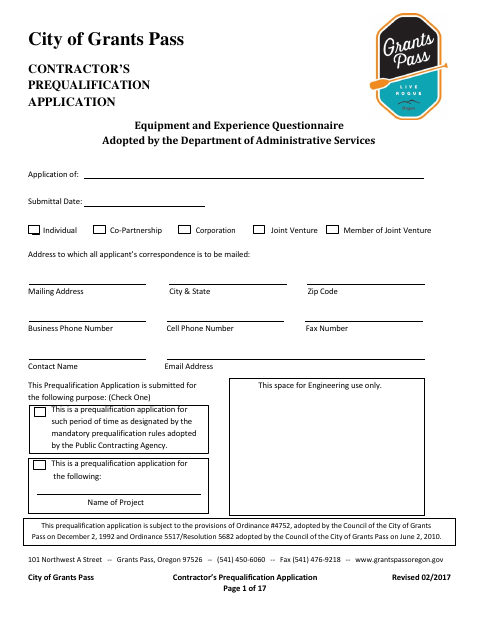
This application collects a contractor’s business, ownership, experience, project, and equipment information for contractors seeking prequalification to bid on Grants Pass public improvement projects.
- licensed online notary
- ~15 min average
- Notarized PDF emailed
What you’ll need
- Government-issued photo ID
- Webcam-enabled device (laptop or phone)
- This form, ready to upload as a PDF
What this form is
The City uses this application to assess a contractor’s qualifications, including experience, safety practices, licenses, insurance, project history, and equipment. Contractors submit it when seeking prequalification to bid on public improvement work; the application may cover a designated period or a specific project. The applicant must complete the form, return all pages, and sign and swear to the statements in the affidavit. The City may require supporting attachments and may make independent inquiries about the contractor’s performance and capabilities.
Who needs it
Contractors seeking City prequalification to bid on public improvement projects should complete the application for the business or entity that would sign the contract.
How to get this notarized
- 1
Download the Application
Get the City of Grants Pass Contractor’s Prequalification Application and review its instructions and requirements.
- 2
Complete the Application
Fill in the applicable business, ownership, experience, project, and equipment information, and include any required attachments.
- 3
Book an Online Notary
Arrange a remote notarization with a commissioned online notary for the affidavit’s jurat.
- 4
- 5
Submit to the City
Return all application pages to the designated officer or public contracting agency, following its submission instructions.
Preview the form
The blank PDF straight from Grants Pass. Look it over, then upload your filled copy to start the notary session.

You’ll need ID and a webcam.
A licensed online notary will join you on video, verify your government-issued ID, witness your signature, and apply their seal. You’ll receive the notarized PDF by email when the session ends.
Frequently asked questions
- How do I complete the Grants Pass contractor prequalification application?
- Complete the application for the business or entity seeking prequalification, provide the requested experience and equipment details, return all pages, then sign the affidavit before a notary.
- Do I need to sign this application in front of a notary?
- Yes. The affidavit instructs the applicant’s signatory to sign before a notary, who completes the State of Oregon jurat and commission expiration information.
- Can I use a commissioned online notary for this affidavit?
- Oregon law authorizes remote notarization by Oregon notaries under ORS 194.277, and ORS 194.260 recognizes certain out-of-state notarial acts. The Oregon Secretary of State says a properly notarized out-of-state RON document is valid in Oregon.
- Where do I submit the completed application?
- The instructions say to submit it to the designated officer or public contracting agency. Check with the applicable agency about its filing deadlines and submission requirements; confirm with the city or county clerk if unsure.
Other forms in Grants Pass
Contractor Prequalification Application in other Oregon cities
Each city publishes its own version of this form. Pick the city where you’re filing.