
Gresham, OR · Multnomah County
Marijuana Business Registration Renewal Affidavit
This sworn affidavit accompanies a marijuana business registration renewal and is filed by the applicant seeking to renew a business registration in Gresham.
- licensed online notary
- ~15 min average
- Notarized PDF emailed
What you’ll need
- Government-issued photo ID
- Webcam-enabled device (laptop or phone)
- This form, ready to upload as a PDF
What this form is
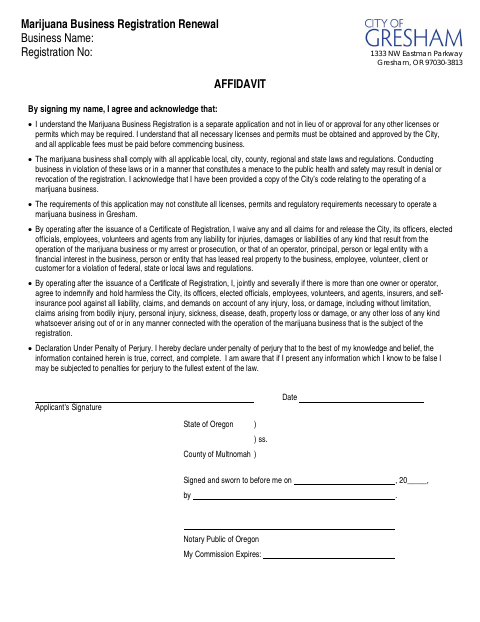
This affidavit is part of Gresham’s Marijuana Business Registration Renewal and records the applicant’s acknowledgments about permits, legal compliance, liability, and the truth of the submitted information. The applicant signs under penalty of perjury, and the form includes a sworn statement before a notary. Use it when renewing a marijuana business registration; the form states registration is separate from other required licenses and permits, which must be obtained and approved before business begins.
Who needs it
An applicant renewing a Gresham marijuana business registration needs this affidavit to make the listed acknowledgments and swear that the information provided is true, correct, and complete.
How to get this notarized
- 1
Download the Affidavit
Get the Marijuana Business Registration Renewal Affidavit from the City of Gresham.
- 2
Fill In the Form
Enter the business name and registration number, and review the affidavit acknowledgments.
- 3
Book an Online Notary
Schedule a session with a commissioned online notary before signing the affidavit.
- 4
Sign on Video
Sign and swear to the affidavit during your online notary session.
- 5
Submit to the City
Send the completed, notarized affidavit with your registration renewal as directed by the City of Gresham.
Preview the form
The blank PDF straight from Gresham. Look it over, then upload your filled copy to start the notary session.

You’ll need ID and a webcam.
A licensed online notary will join you on video, verify your government-issued ID, witness your signature, and apply their seal. You’ll receive the notarized PDF by email when the session ends.
Frequently asked questions
- How do I complete the Gresham renewal affidavit?
- Complete the applicant and business information, review the acknowledgments, then sign and swear to the affidavit before a notary. Submit the notarized form with your renewal.
- Do I need to sign the affidavit in front of a notary?
- Yes. The form includes a statement that the applicant signed and swore to the affidavit before a notary, along with a space for the notary’s commission-expiration date.
- Can I use a commissioned online notary?
- Oregon recognizes properly notarized remote acts performed by an authorized notary in another state. The Oregon Secretary of State’s Remote and Electronic Notarization FAQ confirms that a properly notarized out-of-state remote notarization is valid in Oregon.
- Where do I submit the notarized renewal affidavit?
- The form is for Gresham’s Marijuana Business Registration Renewal. Follow the city’s renewal submission instructions; confirm with the city or county clerk if unsure.