
Gresham, OR · Multnomah County
Type II Tree Removal Permit
This permit application is for property owners or applicants seeking approval to remove regulated trees in circumstances that require Type II review by Gresham’s Urban Design & Planning department.
- licensed online notary
- ~15 min average
- Notarized PDF emailed
What you’ll need
- Government-issued photo ID
- Webcam-enabled device (laptop or phone)
- This form, ready to upload as a PDF
What this form is
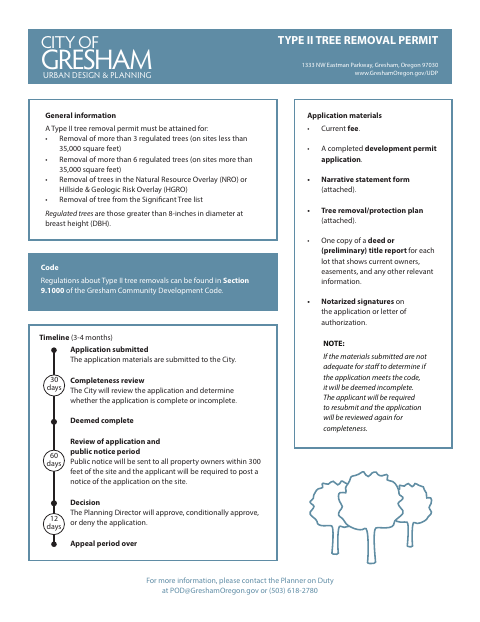
Gresham requires a Type II tree removal permit for removals that exceed the stated regulated-tree thresholds, affect trees in specified overlay districts, or involve a tree on the Significant Tree list. Applicants submit a development permit application, narrative statement, tree removal/protection plan, ownership documentation, and notarized signatures on the application or a letter of authorization. The City reviews completeness, provides public notice, and the Planning Director decides whether to approve, conditionally approve, or deny the application.
Who needs it
Property owners or applicants proposing tree removal that meets one of the Type II permit criteria must submit the application materials to Gresham.
Why it needs a notary
The form does not show a specific jurat or acknowledgment block; it requires notarized signatures on the application or letter of authorization from the applicable signer.
How to get this notarized
- 1
Download the Permit Materials
Get the Type II tree removal permit materials and review the application requirements.
- 2
Complete the Application
Fill out the development permit application and prepare the narrative statement, tree plan, and ownership documentation.
- 3
Book an Online Notary
Arrange a session with a commissioned online notary for the application or letter of authorization.
- 4
Sign on Video
Sign the required application or authorization during your online notary session.
- 5
Submit to the City
Send the completed materials, notarized signatures, and current fee to the City for review.
Preview the form
The blank PDF straight from Gresham. Look it over, then upload your filled copy to start the notary session.

You’ll need ID and a webcam.
A licensed online notary will join you on video, verify your government-issued ID, witness your signature, and apply their seal. You’ll receive the notarized PDF by email when the session ends.
Frequently asked questions
- How do I apply for a Type II tree removal permit?
- Submit a completed development permit application, narrative statement, tree removal/protection plan, ownership documentation, current fee, and notarized signatures to the City.
- Do I need notarized signatures for this application?
- Yes. Gresham lists notarized signatures on the application or a letter of authorization among the required application materials.
- Can I use a commissioned online notary?
- Oregon recognizes qualifying remote notarial acts under ORS 194.277 and ORS 194.260; the Oregon Secretary of State FAQ confirms a properly notarized out-of-state remote online notarization is valid in Oregon. Confirm with the city or county clerk if unsure.
- What happens after I submit the application?
- The City checks whether the application is complete, sends public notice to property owners within 300 feet, and the Planning Director approves, conditionally approves, or denies it.