
Bluffton, SC · Beaufort County
Additions, Remodels & Minor Projects Permit Application
This application collects project, property, contractor, and construction details for owners or authorized agents seeking a Bluffton permit for additions, remodels, or minor projects.
- licensed online notary
- ~15 min average
- Notarized PDF emailed
What you’ll need
- Government-issued photo ID
- Webcam-enabled device (laptop or phone)
- This form, ready to upload as a PDF
What this form is
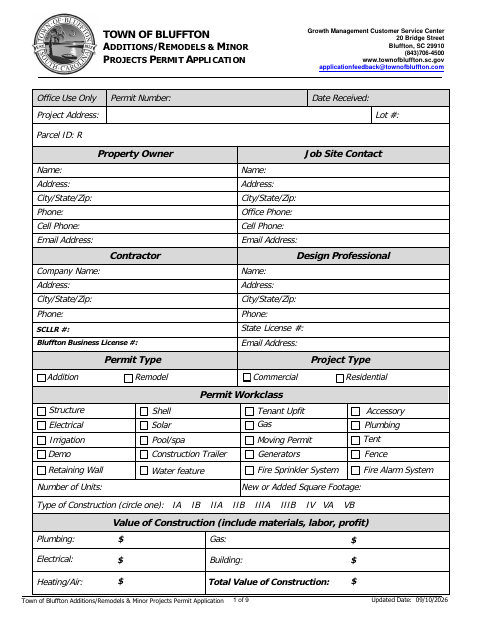
The Town of Bluffton application gathers information about the property, proposed work, construction value, contractors, licensing, and waste disposal. It also includes a mechanical certification for electrical, plumbing, or heating and air work, with a signature section requiring notarization. Applicants complete the relevant sections and provide required supporting information when applying for a permit; the form notes that the mechanical certification must be complete and its notary seal date within four weeks of application submittal.
Who needs it
Property owners or authorized agents applying for a Bluffton permit for an addition, remodel, or minor project should complete the applicable sections and certifications.
Why it needs a notary
The mechanical certification has a notarial certificate with a state and commission-expiration field; the owner or authorized agent of the company signs before the notary.
How to get this notarized
- 1
Download The Application
Download the Town of Bluffton Additions, Remodels & Minor Projects Permit Application.
- 2
Complete The Applicable Sections
Enter project, property, contractor, and other required details, including the mechanical certification when applicable.
- 3
Book An Online Notary
Arrange a session with a commissioned online notary for the mechanical certification.
- 4
Sign During The Video Session
Sign the certification before the notary during the online session; check that the seal date is within four weeks of submittal.
- 5
Submit The Application
Submit the completed application and required materials to the Town of Bluffton.
Preview the form
The blank PDF straight from Bluffton. Look it over, then upload your filled copy to start the notary session.

You’ll need ID and a webcam.
A licensed online notary will join you on video, verify your government-issued ID, witness your signature, and apply their seal. You’ll receive the notarized PDF by email when the session ends.
Frequently asked questions
- How do I get the mechanical certification notarized?
- Complete the certification, then sign it during a video session with a commissioned online notary. The form says the notary seal date must be within four weeks of application submittal.
- Do I need to notarize the entire permit application?
- The form identifies a notary section on the mechanical certification of work to be performed. It does not identify the entire permit application as requiring notarization.
- Who signs the mechanical certification?
- The certification states, “I am the owner or authorized agent of” the company. That person completes the printed-name and signature fields before the notary.
- Can I use an online notary for this Bluffton form?
- South Carolina has not authorized remote online notarization by its own notaries; its electronic notary law requires in-person appearance. A commissioned online notary acting under the law of the jurisdiction where the notarization occurs may be recognized in South Carolina. Confirm with the city or town if unsure.
Other forms in Bluffton
Unlicensed Residential Builder Disclosure Cancellation Affidavit
Bluffton
Commercial Affidavit of Ownership and Owner’s Authorized Agent
Bluffton
Commercial Building Permit Application
Bluffton
Letter of Authorization for Contractors
Bluffton
Grounding Affidavit
Bluffton
Residential Affidavit of Ownership and Owner’s Authorized Agent
Bluffton