
Hardeeville, SC · Jasper County
Site Development Permit Application and Checklist
This application and checklist is for property owners or their authorized agents seeking a Hardeeville site development permit; the owner signs to authorize city review and property inspections.
- licensed online notary
- ~15 min average
- Notarized PDF emailed
What you’ll need
- Government-issued photo ID
- Webcam-enabled device (laptop or phone)
- This form, ready to upload as a PDF
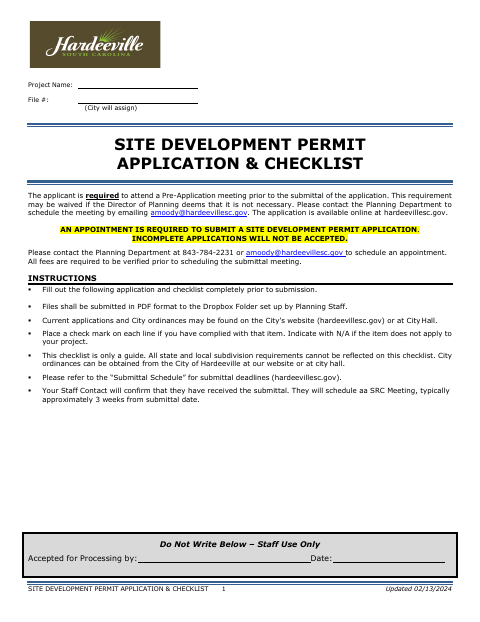
What this form is
Hardeeville uses this application and checklist for new commercial and residential site development projects. Applicants must complete the application and checklist, attend a pre-application meeting unless the Planning Director waives it, schedule an appointment to submit, and provide the required plans, documents, and fees. The form says that when a property has multiple owners, one notarized form is required per owner.
Who needs it
Property owners or their authorized agents applying for a Hardeeville site development permit must complete the application, checklist, and required submittal materials.
Why it needs a notary
The form requires a notarized form for each property owner when there are multiple owners; each owner signs the owner signature section before a notary, though no certificate block appears in the provided text.
How to get this notarized
- 1
Download The Application
Get the Site Development Permit Application and Checklist from the City of Hardeeville.
- 2
Complete The Form
Fill out the application and checklist, gather required plans and documents, and arrange the required pre-application meeting and submission appointment.
- 3
Book An Online Notary
If multiple owners are listed, arrange a separate notarized form for each owner and check the city's acceptance requirements.
- 4
Sign On Video
Each owner completes the notarial signing with a commissioned online notary, if the city confirms that method is acceptable.
- 5
Submit To The City
Submit the complete package, required fees, and hard-copy plans as instructed by Hardeeville Planning staff.
Preview the form
The blank PDF straight from Hardeeville. Look it over, then upload your filled copy to start the notary session.

You’ll need ID and a webcam.
A licensed online notary will join you on video, verify your government-issued ID, witness your signature, and apply their seal. You’ll receive the notarized PDF by email when the session ends.
Frequently asked questions
- How do I submit the site development permit application?
- The form requires a pre-application meeting unless waived, an appointment to submit, completed application materials, required plans and documents, and fees. Planning staff sets up the Dropbox folder for file submission.
- Do I need a notarized form for every property owner?
- Yes. The application states that if there are multiple property owners, one notarized form per owner is required. Each owner should sign their own form before a notary.
- Can a commissioned online notary notarize this form remotely?
- South Carolina has not authorized remote online notarization by its own notaries. A commissioned online notary acting under the law of the jurisdiction where the notarization occurs may be recognized in South Carolina; confirm the city's requirements before proceeding.
- What should I do if I am unsure whether the city will accept remote notarization?
- Ask Hardeeville Planning staff whether the notarized form and signing method meet its submission requirements; confirm with the city or town if unsure.