
Irving, TX · Dallas County
Juvenile Alcohol Expunction Application
This application asks Irving Municipal Court to expunge a qualifying alcohol-related conviction from a person’s record and is filed by an applicant who meets the form’s stated eligibility requirements.
- licensed online notary
- ~15 min average
- Notarized PDF emailed
What you’ll need
- Government-issued photo ID
- Webcam-enabled device (laptop or phone)
- This form, ready to upload as a PDF
What this form is
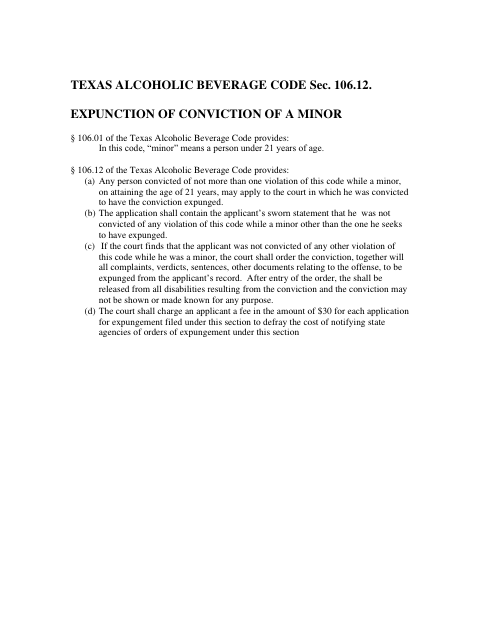
The application requests expunction of records related to an Irving Municipal Court alcohol offense and includes an affidavit in which the applicant swears that the factual statements are true. The form states that the applicant must have reached age 21 and not have been convicted of more than one violation of the Texas Alcoholic Beverage Code while a minor. It also includes a proposed hearing-setting order and expunction order.
Who needs it
A person seeking expunction of an Irving Municipal Court alcohol-related conviction may use this application if they meet the eligibility conditions stated in the form.
Why it needs a notary
The form carries a sworn affidavit with a jurat; the applicant signs and swears to the affidavit before the notary public.
How to get this notarized
- 1
Download the Application
Download the Juvenile Alcohol Expunction Application and review its application, affidavit, and proposed orders.
- 2
Fill Out the Form
Complete the applicant and offense details, identify listed agencies and courts, and fill in the affidavit without signing it yet.
- 3
Book an Online Notary
Schedule a video session with a commissioned online notary and have the unsigned affidavit ready.
- 4
Sign on Video
Appear before the notary by video, sign the affidavit, and swear that its factual statements are true.
- 5
Submit to the City
Follow Irving Municipal Court’s instructions to submit the completed application and notarized affidavit.
Preview the form
The blank PDF straight from Irving. Look it over, then upload your filled copy to start the notary session.

You’ll need ID and a webcam.
A licensed online notary will join you on video, verify your government-issued ID, witness your signature, and apply their seal. You’ll receive the notarized PDF by email when the session ends.
Frequently asked questions
- How do I get the affidavit notarized online?
- Complete the application and affidavit, then book a session with a commissioned online notary. Sign and swear to the affidavit during the video session, and follow the city’s instructions for filing.
- Do I need to sign the affidavit in front of a notary?
- Yes. The form includes a sworn affidavit and says it must be subscribed and sworn to before a notary public. The applicant should sign and take the oath before the notary.
- Can I use an online notary for this form?
- Texas has authorized remote online notarization since 2018 under Government Code Chapter 406, Subchapter C. The affidavit still must be signed and sworn before a commissioned online notary; confirm with the city if unsure.
- What does the application ask the court to do?
- It asks the court to set a hearing and, if the application is granted, order records and files related to the specified arrest and charge expunged. The form includes a proposed order for the judge.