
Irving, TX · Dallas County
Lobbyist Client Identification Form
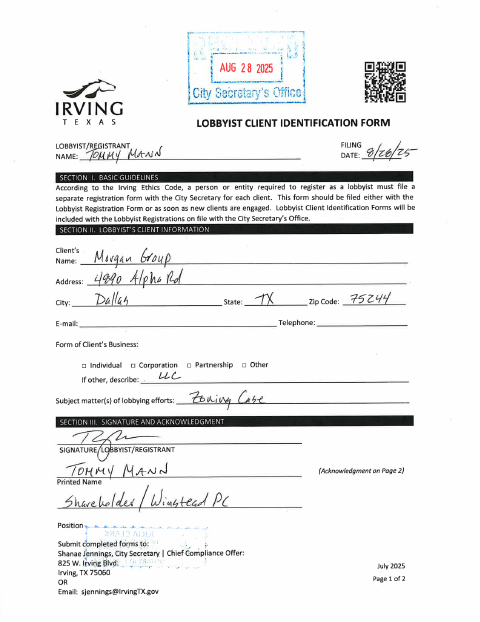
The Lobbyist Client Identification Form identifies a lobbyist’s client and is filed with the City Secretary by a person or entity required to register as a lobbyist.
- licensed online notary
- ~15 min average
- Notarized PDF emailed
What you’ll need
- Government-issued photo ID
- Webcam-enabled device (laptop or phone)
- This form, ready to upload as a PDF
What this form is
This form records a client’s name, contact and business information, and the subject matter of lobbying efforts. The form says a separate registration is required for each client and that this identification form should be filed with the Lobbyist Registration Form or as soon as a new client is engaged.
Who needs it
A person or entity required to register as a lobbyist with the City must file a separate client identification form for each client.
Why it needs a notary
The form includes single-person and entity acknowledgment blocks; the lobbyist/registrant signs and acknowledges execution before a notary using the block that fits the client.
How to get this notarized
- 1
Download The Form
Download the Lobbyist Client Identification Form from the City of Irving.
- 2
Fill In The Client Details
Enter the client’s name, address, contact information, business type, and lobbying subject matter.
- 3
Book An Online Notary
Book a session with a commissioned online notary and have identification ready.
- 4
Sign On Video
Sign and acknowledge the form during the online notary session, using the applicable acknowledgment block.
- 5
Submit To The City
Send the notarized form to the City Secretary with the Lobbyist Registration Form or when a new client is engaged.
Preview the form
The blank PDF straight from Irving. Look it over, then upload your filled copy to start the notary session.

You’ll need ID and a webcam.
A licensed online notary will join you on video, verify your government-issued ID, witness your signature, and apply their seal. You’ll receive the notarized PDF by email when the session ends.
Frequently asked questions
- How do I file the Lobbyist Client Identification Form?
- Complete the client information and acknowledgment, then submit the form to the City Secretary with the Lobbyist Registration Form or as soon as you engage a new client. The form lists a mailing address and email for submission.
- Do I need to file a separate form for each client?
- Yes. The form’s guidelines state that a person or entity required to register as a lobbyist must file a separate registration for each client, and that this client identification form should accompany the registration or follow when a new client is engaged.
- Can I sign this form with a commissioned online notary?
- Texas has authorized remote online notarization since 2018 under Government Code Chapter 406, Subchapter C, and Texas recognizes acknowledgments taken by notaries of other states under CPRC §121.001. Confirm with the city if unsure about submitting a remotely notarized form.
- Which acknowledgment should I use?
- The form provides a single-person acknowledgment and an entity acknowledgment. The lobbyist/registrant should use the block that matches the client and the signer’s capacity, and acknowledge the signature before a notary.