
Irving, TX · Dallas County
Lobbyist Registration Form
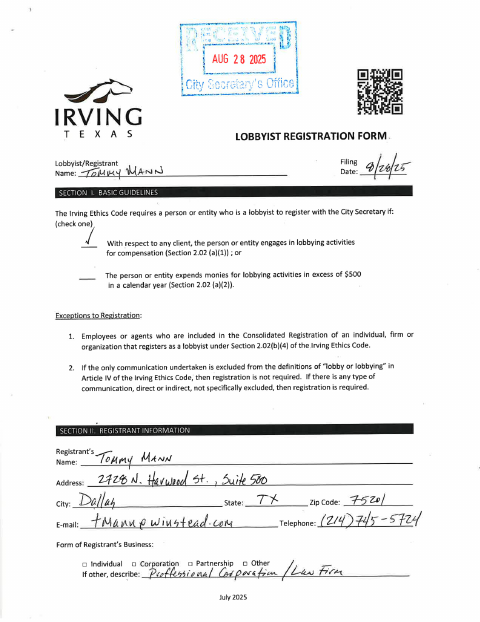
This registration form records a lobbyist’s details, clients, and required affirmations for filing with the City Secretary when compensation or lobbying expenses trigger registration under the form’s guidelines.
- licensed online notary
- ~15 min average
- Notarized PDF emailed
What you’ll need
- Government-issued photo ID
- Webcam-enabled device (laptop or phone)
- This form, ready to upload as a PDF
What this form is
The form collects registrant and business information, lists employees or agents lobbying for clients, and includes affirmations about the registration and disclosure requirements stated on the form. Its guidelines say a person or entity must register if they lobby for compensation or spend more than $500 on lobbying activities in a calendar year. Submit the completed form to the City Secretary by mail or email as directed on the form.
Who needs it
A person or entity meeting the form’s compensation or spending criteria for lobbying must register, with separate registrations required for each client represented.
Why it needs a notary
The form includes entity and single acknowledgment blocks; the registrant or authorized entity officer signs the applicable acknowledgment before a notary.
How to get this notarized
- 1
Download the Form
Get the Lobbyist Registration Form from the City of Irving.
- 2
Complete the Form
Enter registrant and client information, complete applicable sections, and review the affirmations and acknowledgment blocks.
- 3
Book an Online Notary
Schedule a session with a commissioned online notary and have the completed form ready.
- 4
Sign on Video
Sign the applicable acknowledgment during the online notary session.
- 5
Submit to the City
Send the completed form to the City Secretary by the mail or email method listed on the form.
Preview the form
The blank PDF straight from Irving. Look it over, then upload your filled copy to start the notary session.

You’ll need ID and a webcam.
A licensed online notary will join you on video, verify your government-issued ID, witness your signature, and apply their seal. You’ll receive the notarized PDF by email when the session ends.
Frequently asked questions
- How do I notarize the lobbyist registration form online?
- Complete the form, book a session with a commissioned online notary, and sign the applicable acknowledgment during the video session. Follow the form’s instructions to submit it to the City Secretary.
- Do I need to notarize this registration form?
- The form includes entity and single acknowledgment blocks with notary sections. Use the block that applies to the registrant and signer, and confirm with the city if unsure.
- Can I use a remote online notary for this form?
- Texas has authorized remote online notarization since 2018 under Government Code Chapter 406, Subchapter C. The form contains acknowledgment blocks; check submission requirements with the City Secretary if you have questions.
- Who signs the entity acknowledgment?
- The form says the entity acknowledgment is for an authorized officer or agent of a corporation, partnership, or other entity. The signer acknowledges the entity act and their authority to perform it.