
Heath, TX · Rockwall County
Personnel Complaint Form
This form lets a person file a formal complaint about alleged misconduct by a Heath Department of Public Safety employee, with a sworn statement and notarization required.
- licensed online notary
- ~15 min average
- Notarized PDF emailed
What you’ll need
- Government-issued photo ID
- Webcam-enabled device (laptop or phone)
- This form, ready to upload as a PDF
What this form is
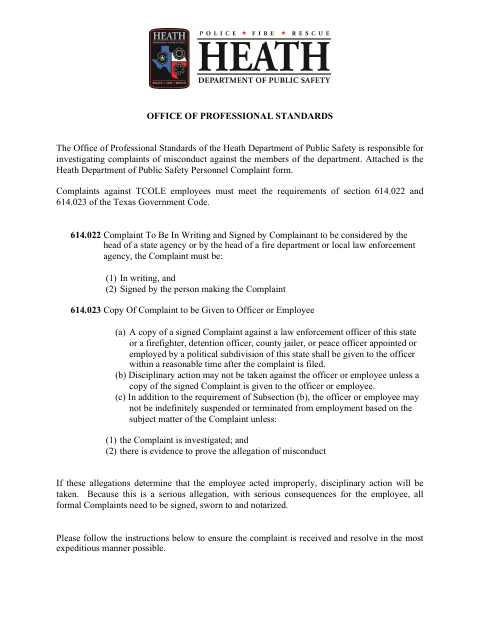
Use this form to describe an incident involving a department employee, identify the people involved, and provide a detailed account with any witness or supporting information. Heath says formal complaints must be signed, sworn to, and notarized before they are submitted; the form includes space for a complaint narrative and continuation affidavits. The Director of Public Safety or a designee determines how the complaint will be investigated, and the complainant will be notified.
Who needs it
A person filing a formal complaint about alleged misconduct by a Heath Department of Public Safety employee needs to complete and submit this form.
How to get this notarized
- 1
Download the Form
Get the Personnel Complaint Form and review Heath’s instructions before completing it.
- 2
Fill In the Details
Print the requested information and write a specific, chronological account. Leave sworn signature sections unsigned.
- 3
Book an Online Notary
Schedule a video session with a commissioned online notary and have your completed form ready.
- 4
Sign on Video
Sign the applicable complaint and affidavit sections when directed during the notary video session.
- 5
Submit to the City
Return the notarized complaint to the city as directed by Heath’s instructions.
Preview the form
The blank PDF straight from Heath. Look it over, then upload your filled copy to start the notary session.

You’ll need ID and a webcam.
A licensed online notary will join you on video, verify your government-issued ID, witness your signature, and apply their seal. You’ll receive the notarized PDF by email when the session ends.
Frequently asked questions
- How do I get my personnel complaint notarized online?
- Complete the form without signing the sworn sections, book a video session with a commissioned online notary, and sign when instructed. Submit the notarized complaint to the city as directed.
- Do I need to sign the complaint in front of a notary?
- Yes. Heath’s instructions say not to sign the perjury section or other pages until you are in the presence of a notary. The form includes sworn jurat blocks.
- Can I use an online notary for this form?
- Texas has authorized remote online notarization since 2018 under Government Code Chapter 406, Subchapter C. Because Heath’s instructions describe in-person notarization, confirm with the city if unsure.
- What should I include in my complaint?
- The form asks for incident details and the names of involved officers. Heath recommends a chronological, specific account, including witness contact information and any supporting documentation or proof.
Personnel Complaint Form in other Texas cities
Each city publishes its own version of this form. Pick the city where you’re filing.