
Southlake, TX · Tarrant County
Confirmation of Donated Assets
This form documents a donor’s transfer of completed improvements to the City of Southlake and is filed by the person or entity donating assets associated with a development project.
- licensed online notary
- ~15 min average
- Notarized PDF emailed
What you’ll need
- Government-issued photo ID
- Webcam-enabled device (laptop or phone)
- This form, ready to upload as a PDF
What this form is
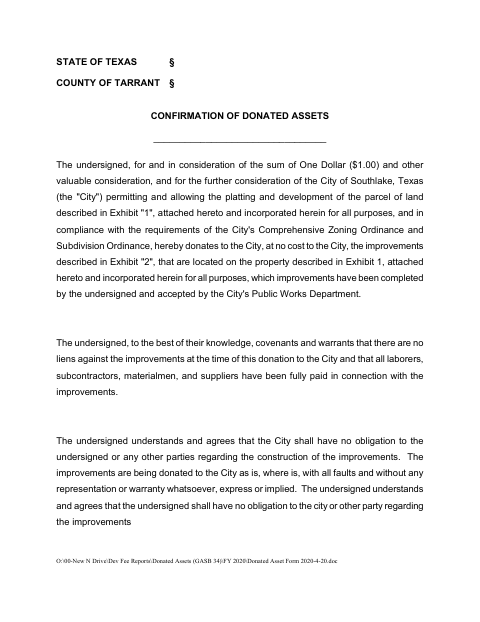
The form records a donor’s donation of completed improvements located on a property described in Exhibit 1, along with statements about liens, payment for labor and materials, and the condition of the improvements. It also provides spaces to identify the property in Exhibit 1 and list improvements and values in Exhibit 2. The donor executes the form for the City’s consideration of platting and development; the City Manager’s acceptance section is also included.
Who needs it
A person or entity donating completed improvements located on a development property described in Exhibit 1 should complete this form for the City.
Why it needs a notary
The form includes an acknowledgment block; the donor whose name is subscribed to the instrument signs and acknowledges it before a commissioned online notary.
How to get this notarized
- 1
Download The Form
Get the City of Southlake Confirmation of Donated Assets form and review its donor section and exhibits.
- 2
Fill In The Form
Enter the donor and execution information, describe the property in Exhibit 1, and list applicable improvements and values in Exhibit 2.
- 3
Book An Online Notary
Schedule a remote session with a commissioned online notary for the form’s acknowledgment.
- 4
Sign On Video
Appear on video and sign and acknowledge the instrument as directed by the notary.
- 5
Submit To The City
Follow the City’s instructions to submit the completed form and exhibits.
Preview the form
The blank PDF straight from Southlake. Look it over, then upload your filled copy to start the notary session.

You’ll need ID and a webcam.
A licensed online notary will join you on video, verify your government-issued ID, witness your signature, and apply their seal. You’ll receive the notarized PDF by email when the session ends.
Frequently asked questions
- How do I get the Donated Assets Form notarized online?
- Complete the form and its exhibits, then book a session with a commissioned online notary. The donor signs and acknowledges the document during a live video session.
- Do I need to complete both exhibits?
- The form includes Exhibit 1 for the property description and Exhibit 2 for improvements and values. Complete the information applicable to your donation; confirm with the city if unsure.
- Does this form require an acknowledgment or a jurat?
- It contains an acknowledgment block stating that the person whose name is on the instrument appeared before the notary and acknowledged executing it for the stated purposes and consideration.
- Can I use an online notary for this form?
- Texas has authorized remote online notarization since 2018. A commissioned online notary can conduct the acknowledgment by video; check with the City about its submission and acceptance requirements.