
Southlake, TX · Tarrant County
Right-of-Way Dedication Instrument
This instrument dedicates a described property area to the City of Southlake as a perpetual public right-of-way and easement, and is completed by the property owner or owners granting it.
- licensed online notary
- ~15 min average
- Notarized PDF emailed
What you’ll need
- Government-issued photo ID
- Webcam-enabled device (laptop or phone)
- This form, ready to upload as a PDF
What this form is
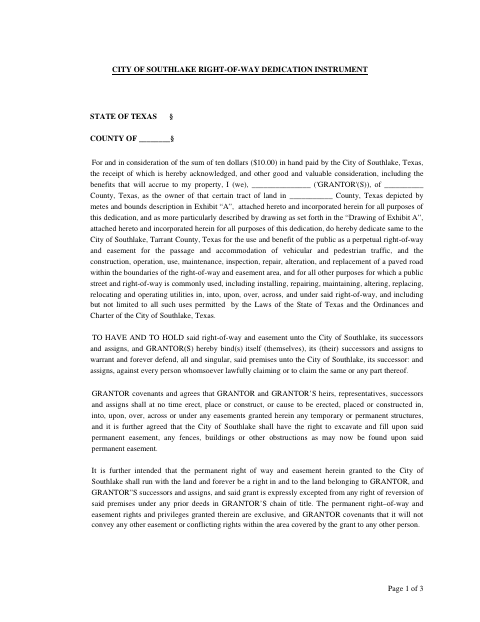
The instrument grants the City of Southlake a perpetual right-of-way and easement for public travel, road work, and utilities across the land described in Exhibit A and its drawing. The grantor signs the instrument to convey the interest, and the city’s certificate of acceptance records its acceptance subject to the instrument’s terms. The form directs grantors to return the executed original to the City Engineer and the recorded original to the City Secretary.
Who needs it
A property owner or owners granting the City of Southlake a right-of-way and easement over land described in the instrument and its attached exhibits need this form.
Why it needs a notary
The form carries an acknowledgment block; each grantor whose name is signed on the instrument must personally appear before the notary and acknowledge its execution.
How to get this notarized
- 1
Download the Form
Get the Right-of-Way Dedication Instrument from the City of Southlake.
- 2
Fill In the Form
Complete the grantor, property, execution, and acknowledgment details, and attach the referenced Exhibit A and drawing.
- 3
Book an Online Notary
Arrange a remote session with a commissioned online notary for the grantor acknowledgment.
- 4
Sign on Video
Appear for the online notarization and acknowledge signing the instrument.
- 5
Submit to the City
Return the original to the City Engineer after execution, then follow the form’s instructions for returning it after recording.
Preview the form
The blank PDF straight from Southlake. Look it over, then upload your filled copy to start the notary session.

You’ll need ID and a webcam.
A licensed online notary will join you on video, verify your government-issued ID, witness your signature, and apply their seal. You’ll receive the notarized PDF by email when the session ends.
Frequently asked questions
- How do I complete the right-of-way dedication?
- Fill in the grantor, property, execution, and acknowledgment details, attach the referenced Exhibit A and drawing, then sign before a notary. Return the original as directed by the form.
- Do I need to sign this form before a notary?
- Yes. The form includes an acknowledgment block for the grantor to appear before a notary and acknowledge signing the instrument.
- Can I use a commissioned online notary?
- Texas has authorized remote online notarization since 2018 under Government Code Chapter 406, Subchapter C. A commissioned online notary can notarize the acknowledgment remotely; confirm with the city if unsure.
- What happens after the city accepts the dedication?
- The city’s certificate states that the conveyed interest is accepted subject to the instrument’s terms and that the City Council has consented to recordation. The form provides separate return instructions for before and after recording.