
Wichita Falls, TX · Wichita County
Volunteer Release of Liability Waiver for Minor
This one-page waiver releases the City of Wichita Falls from claims related to volunteer activity and is completed by a person volunteering with the city.
- licensed online notary
- ~15 min average
- Notarized PDF emailed
What you’ll need
- Government-issued photo ID
- Webcam-enabled device (laptop or phone)
- This form, ready to upload as a PDF
What this form is
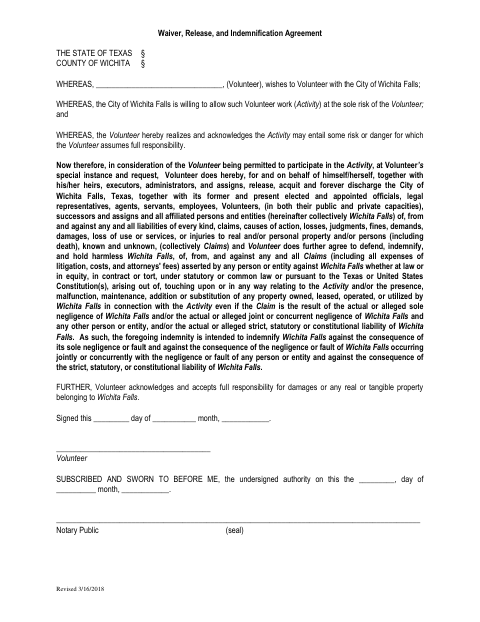
The agreement describes volunteer activity as being undertaken at the volunteer’s risk and releases the City of Wichita Falls from claims related to that activity. It also includes indemnification language and an acknowledgment of responsibility for damage to city property. The form is for a volunteer who wishes to work with the city; the provided text does not specify when the city requires it.
Who needs it
A person who wishes to volunteer with the City of Wichita Falls may need this form to document the release and indemnification terms stated in the agreement.
Why it needs a notary
The form carries a subscribed-and-sworn jurat, so the volunteer signs and swears to the agreement before the notary.
How to get this notarized
- 1
Download the Waiver
Download the volunteer release and indemnification agreement from the City of Wichita Falls.
- 2
Fill In the Form
Complete the volunteer and date information shown on the form, leaving the notary section for the notarial session.
- 3
Book an Online Notary
Schedule a session with a commissioned online notary and have the completed form ready.
- 4
Sign on Video
Sign and swear to the agreement before the notary during the online video session.
- 5
Submit to the City
After notarization, submit the completed form to the City of Wichita Falls.
Preview the form
The blank PDF straight from Wichita Falls. Look it over, then upload your filled copy to start the notary session.

You’ll need ID and a webcam.
A licensed online notary will join you on video, verify your government-issued ID, witness your signature, and apply their seal. You’ll receive the notarized PDF by email when the session ends.
Frequently asked questions
- How do I get the volunteer waiver notarized online?
- Complete the form, book with a commissioned online notary, and sign and swear to it during the video session. Submit the notarized form to the city.
- Do I need to sign the waiver in front of a notary?
- Yes. The form includes a subscribed-and-sworn jurat stating that the volunteer signs and swears to the agreement before the notary.
- Can I use an online notary for this form?
- Texas has authorized remote online notarization since 2018 under Government Code Chapter 406, Subchapter C. Texas also recognizes acknowledgments taken by notaries of other states under CPRC §121.001; confirm with the city if unsure.