
Opelika, AL · Lee County
Administrative Subdivision Waiver of Notice
This waiver lets signers accept notice of an administrative subdivision and waive further notice and a public hearing before the Opelika Planning Commission.
- licensed online notary
- ~15 min average
- Notarized PDF emailed
What you’ll need
- Government-issued photo ID
- Webcam-enabled device (laptop or phone)
- This form, ready to upload as a PDF
What this form is
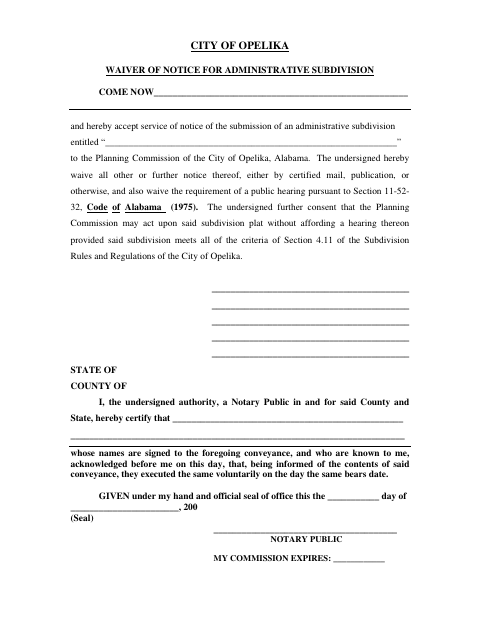
Use this form to accept notice that an administrative subdivision has been submitted to the Opelika Planning Commission and to waive other notice and the public-hearing requirement. The signers also consent to Commission action without a hearing, provided the subdivision meets the criteria identified in the City’s subdivision rules. The form is for people whose consent is requested for the administrative subdivision; submit it as part of the subdivision process.
Who needs it
Anyone asked to accept notice and waive further notice and a public hearing for an administrative subdivision submitted to the Opelika Planning Commission needs this form.
Why it needs a notary
The form has an acknowledgment block; each signer named in the document must acknowledge before the notary that they signed it voluntarily.
How to get this notarized
- 1
Download the Form
Get the Administrative Subdivision Waiver of Notice from the City of Opelika.
- 2
Fill In the Details
Enter the signer names and the name of the administrative subdivision.
- 3
Book an Online Notary
Arrange an online notarization for every person signing the waiver.
- 4
Sign on Video
Signers acknowledge the document before the notary during the video session.
- 5
Submit to the City
Send the completed waiver through the administrative subdivision process.
Preview the form
The blank PDF straight from Opelika. Look it over, then upload your filled copy to start the notary session.

You’ll need ID and a webcam.
A licensed online notary will join you on video, verify your government-issued ID, witness your signature, and apply their seal. You’ll receive the notarized PDF by email when the session ends.
Frequently asked questions
- How do I complete the administrative subdivision waiver?
- Fill in the signer names and subdivision name, then book a commissioned online notary. Signers acknowledge the document during the video session and submit the completed form through the subdivision process.
- Do I need to sign the waiver in front of a notary?
- Yes. The form includes an acknowledgment stating that the signers acknowledged voluntarily executing the document before a notary.
- Can a commissioned online notary notarize this form?
- An acknowledgment taken outside Alabama can have the same effect as one taken inside Alabama when it complies with the law where it is taken and bears the officer’s official seal. Confirm acceptance with the city or town if unsure.
- What does signing the waiver mean?
- Signers accept notice of the administrative subdivision submission, waive further notice and a public hearing, and consent to Commission action without a hearing if the subdivision meets the stated criteria.