
Petaluma, CA · Sonoma County
Owner-Builder Disclosures (Building Permit)
Property owners complete and submit this disclosure form when requesting a Petaluma building permit that lists them as the builder.
What this form is
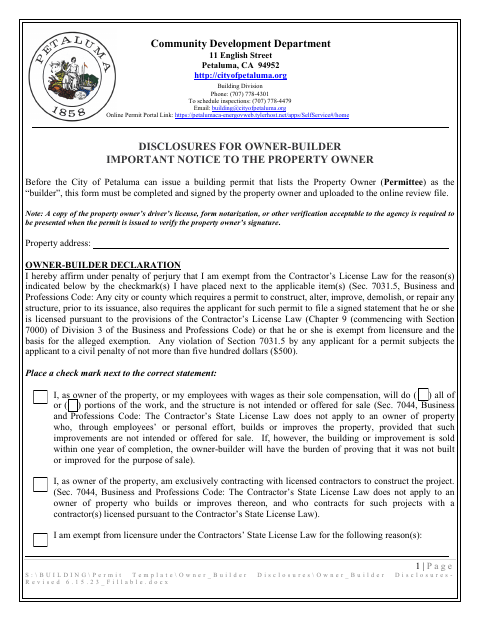
Petaluma requires this completed, signed form before issuing a building permit that names the property owner as the builder. It asks for the property address, owner-builder and workers’ compensation declarations, acknowledgment initials, construction lender information, and permittee signature. The owner also verifies understanding of owner-builder responsibilities and agrees to the form’s indemnity terms.
Who needs it
Property owners named as the builder on a Petaluma building permit must complete and sign the disclosures before the city issues the permit.
How to submit it
Upload the completed and signed form to the online review file through the Online Permit Portal. When the permit is issued, present a driver’s license copy, notarization, or other verification acceptable to the agency to verify the owner’s signature.
About notarization
This document is signed without a notary; the form says a driver’s license copy, notarization, or other acceptable verification must be presented to verify the owner’s signature.
How to submit this form
- 1
Download The Form
Download the Owner-Builder Disclosures PDF.
- 2
Complete The Disclosures
Enter the property address, complete the declarations, initial the acknowledgment statements, and sign and date the form.
- 3
Prepare Signature Verification
For permit issuance, present a driver’s license copy, notarization, or other verification acceptable to the agency.
- 4
Upload To The City
Upload the completed and signed form to the online review file through the Online Permit Portal.
Frequently asked questions
- Do I need a notary for the Owner-Builder Disclosures?
- No. The form has no notary block. It says to present a driver’s license copy, notarization, or other agency-acceptable verification when the permit is issued.
- How do I submit the Owner-Builder Disclosures?
- Complete and sign the form, then upload it to the online review file through Petaluma’s Online Permit Portal.
- Who completes this form?
- The property owner completes it when the building permit lists the owner as the builder.
- What information does the form request?
- It requests the property address, owner-builder and workers’ compensation declarations, acknowledgment initials, construction lender details, and permittee signature.