
Longmont, CO · Boulder County
Sexually Oriented Business Employee License Application
This application is for a person seeking an initial or renewed employee license for a sexually oriented business in Longmont, and includes sworn statements and supporting attachments.
At a glance
- Issued by
- City of Longmont · Longmont, Boulder County, Colorado
- Notarization
- Required: sign this form in front of a notary before filing it.
- Official source
- longmontcolorado.gov
- Blank form
- Download the PDF
- Catalogued
- Machine-readable
- JSON record · about the forms index
- licensed online notary
- ~15 min average
- Notarized PDF emailed
What you’ll need
- Government-issued photo ID
- Webcam-enabled device (laptop or phone)
- This form, ready to upload as a PDF
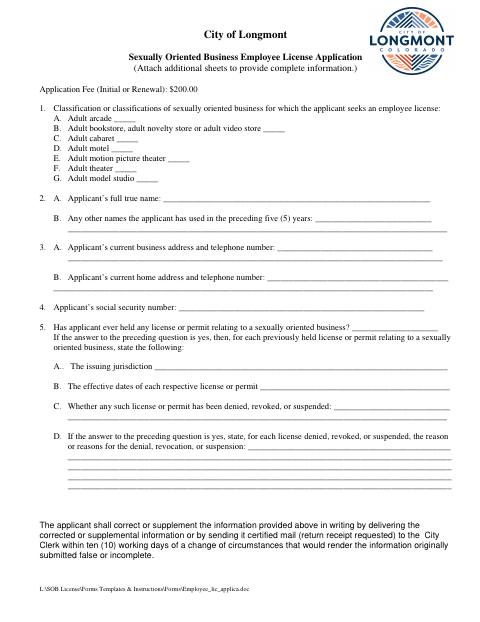
What this form is
A person seeking an employee license for a sexually oriented business uses this form to identify the business classification and provide personal, contact, and prior licensing information. It includes a sworn statement, requires proof of the applicant’s age and a set of fingerprints, and lists a $200 initial or renewal application fee. The form also directs applicants to update information in writing within ten working days if a change makes their submission false or incomplete.
Who needs it
Anyone applying for an initial or renewed Longmont employee license for a sexually oriented business should complete this application and provide the listed age and fingerprint attachments.
Why it needs a notary
The form carries a jurat: the employee applicant signs the sworn statement before the notary, who completes the oath, date, seal, and commission-expiration fields.
How to get this notarized
- 1
Download The Application
Get the Sexually Oriented Business Employee License Application and review its instructions and attachment requirements.
- 2
Fill Out The Form
Enter the requested business classification, personal details, and prior license information; prepare the age proof and fingerprints.
- 3
Book An Online Notary
Schedule a session with a commissioned online notary for the application’s sworn statement.
- 4
Sign On Video
Sign the sworn statement during the online session so the notary can administer the oath and complete the jurat.
- 5
Submit To The City
Submit the notarized application and required attachments to the City of Longmont and pay the applicable fee.
Preview the form
The blank PDF straight from Longmont. Look it over, then upload your filled copy to start the notary session.

You’ll need ID and a webcam.
A licensed online notary will join you on video, verify your government-issued ID, witness your signature, and apply their seal. You’ll receive the notarized PDF by email when the session ends.
Frequently asked questions
- How do I notarize this employee license application online?
- Complete the form, then book a session with a commissioned online notary. Sign the sworn statement during the video session so the notary can complete the jurat.
- Do I need to sign the application in front of a notary?
- Yes. The application includes a statement that the applicant swears is true and correct, followed by a jurat stating it was subscribed and sworn to before a notary.
- What attachments does the application require?
- The form calls for written proof of the applicant’s age, such as the listed identification documents, and a set of fingerprints suitable for the necessary background checks.
- Can a commissioned online notary notarize this form?
- Colorado law authorizes remote online notarization by a commissioned online notary under C.R.S. §24-21-514.5. Confirm with the city or town if unsure whether it accepts an online-notarized application.