
Winter Park, CO · Grand County
Porch Use Restriction Declaration
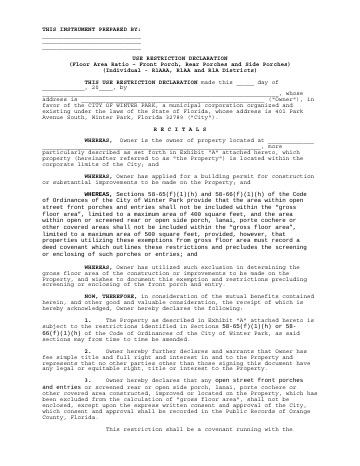
This declaration records restrictions on porches and covered areas excluded from gross floor area calculations, and is signed by the property owner seeking a building permit.
- licensed online notary
- ~15 min average
- Notarized PDF emailed
What you’ll need
- Government-issued photo ID
- Webcam-enabled device (laptop or phone)
- This form, ready to upload as a PDF
What this form is
The declaration says the owner has applied for a building permit and used porch or covered-area exclusions when calculating gross floor area. It restricts enclosing those areas unless the city gives written approval, and says the covenant runs with the property. Important: the supplied form identifies a different Winter Park municipality and references another county’s public records, so it does not appear to be a Colorado city form; verify the correct document before signing or submitting it.
Who needs it
The form is for an owner applying for a building permit who uses the stated porch or covered-area exclusions in calculating gross floor area.
Why it needs a notary
The acknowledgment block is for two signers before a notary public; each owner signing the declaration should appear before the notary and complete the acknowledgment.
How to get this notarized
- 1
Download The Form
Obtain the declaration and verify with Winter Park that this is the correct form for your property and permit.
- 2
Fill In The Declaration
Complete the owner, property, date, and exhibit details, but leave the notary section for the signing appointment.
- 3
Book An Online Notary
Schedule a commissioned online notary after confirming the receiving city or recording office accepts online notarization.
- 4
Sign On Video
The owner or owners sign during the online session and complete the acknowledgment before the notary.
- 5
Submit To The City
Submit the completed declaration as directed by the city; confirm any recording requirements before filing.
Preview the form
The blank PDF straight from Winter Park. Look it over, then upload your filled copy to start the notary session.

You’ll need ID and a webcam.
A licensed online notary will join you on video, verify your government-issued ID, witness your signature, and apply their seal. You’ll receive the notarized PDF by email when the session ends.
Frequently asked questions
- How do I notarize this porch restriction declaration?
- First verify this is the correct form: its text identifies a different Winter Park municipality and another county’s public records. If accepted for your matter, book a commissioned online notary and sign during the video session.
- Do I need to record this declaration?
- The form states that the restrictions are a covenant running with the property and describes recording city approval in public records. Confirm the correct recording process and destination with the relevant city or recording office.
- Can I sign this form with an online notary?
- Colorado authorizes remote online notarization by a commissioned online notary under C.R.S. §24-21-514.5. Because this form appears to identify a different municipality, confirm that the receiving city and recording office will accept it.
- What should I do about the form’s location details?
- The form names a different Winter Park municipality and references another county’s public records. Do not assume it applies to Winter Park, Colorado; confirm with the city or town if unsure.