
Daytona Beach Shores, FL · Volusia County
Property Owner Affidavit of Responsibility and Authorization
Notarized authorization letting a Daytona Beach Shores property owner designate an agent to sign and submit permit applications on their behalf.
- Florida-licensed notary
- ~15 min average
- Notarized PDF emailed
What you’ll need
- Government-issued photo ID
- Webcam-enabled device (laptop or phone)
- This form, ready to upload as a PDF
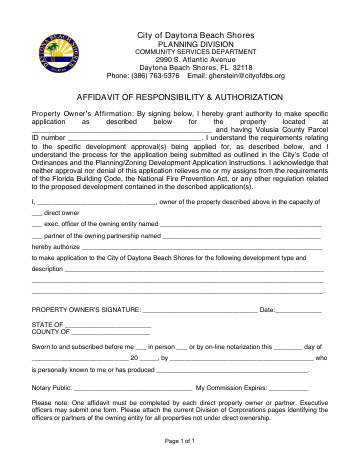
What this form is
The City of Daytona Beach Shores requires this form when a property owner authorizes someone else — a contractor, architect, or representative — to sign and submit building permit applications on the owner's behalf. The owner's signature designating the agent must be notarized so the Building Department can verify the authorization is genuine.
Who needs it
Daytona Beach Shores property owners who want a contractor or representative to file their permit applications for them.
Why it needs a notary
The City of Daytona Beach Shores requires the property owner's signature on the agent authorization to be notarized.
How to get this notarized
- 1
Get the form
Download the Property Owner Affidavit of Responsibility and Authorization from the City of Daytona Beach Shores building department.
- 2
Fill it out
Complete every required field — but do not sign yet. The notary must witness your signature.
- 3
Have your ID ready
Have a valid, government-issued photo ID (driver's license, state ID, or passport) on hand.
- 4
Meet the online notary
Connect with a Rush Notary Florida-commissioned online notary over secure video — no appointment or travel needed.
- 5
Sign and get notarized
Sign while the notary watches; they verify your identity and apply the notarial seal.
- 6
Submit to the city
Download your notarized Property Owner Affidavit of Responsibility and Authorization and submit it to the City of Daytona Beach Shores.
Preview the form
The blank PDF straight from Daytona Beach Shores. Look it over, then upload your filled copy to start the notary session.

You’ll need ID and a webcam.
A licensed Florida online notary will join you on video, verify your government-issued ID, witness your signature, and apply their seal. You’ll receive the notarized PDF by email when the session ends.
Frequently asked questions
- Does this Daytona Beach Shores form need to be notarized?
- Yes. The City of Daytona Beach Shores requires the signature on this form to be notarized before it will accept the application. Rush Notary handles the notarization online.
- Can I notarize my Daytona Beach Shores Property Owner Affidavit of Responsibility and Authorization online?
- Yes. Rush Notary connects you with a licensed Florida online notary over secure video — no appointment and no trip to an office. Most sessions take just a few minutes.
- What do I need for an online notarization?
- A valid government-issued photo ID, the completed (but unsigned) form, and a phone or computer with a camera. The notary verifies your identity, witnesses your signature, and applies the seal.