
McDonough, GA · Henry County
2026 Occupational Financial Statement Form
A sworn financial statement McDonough businesses submit with their occupational tax application, signed before a notary.
- licensed online notary
- ~15 min average
- Notarized PDF emailed
What you’ll need
- Government-issued photo ID
- Webcam-enabled device (laptop or phone)
- This form, ready to upload as a PDF
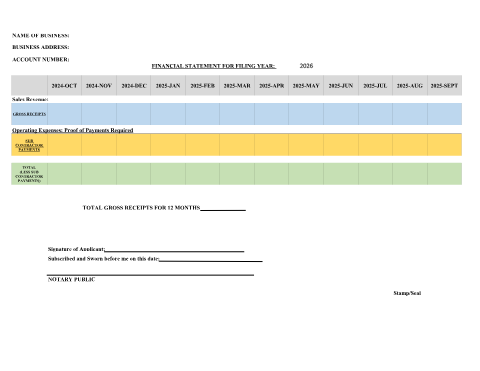
What this form is
As part of the occupational tax certificate process, McDonough requires certain businesses to submit a financial statement disclosing revenue information. The statement must be subscribed and sworn before a notary public to certify its accuracy.
Who needs it
Businesses in McDonough required to submit a financial statement with their occupational tax application.
Why it needs a notary
The statement must be subscribed and sworn before a notary public before the city will accept it.
How to get this notarized
- 1
Download the Form
Get the Occupational Financial Statement Form PDF from McDonough's Applications & Forms page.
- 2
Fill in Revenue Details
Complete the financial disclosure fields required by the city.
- 3
Book an Online Notary Session
Schedule a remote online notarization appointment with Rush Notary.
- 4
Sign on Video with ID Verification
Verify your identity and sign the statement during the video session.
- 5
Submit with Your Tax Application
Deliver the notarized statement to the City of McDonough.
Preview the form
The blank PDF straight from McDonough. Look it over, then upload your filled copy to start the notary session.

You’ll need ID and a webcam.
A licensed online notary will join you on video, verify your government-issued ID, witness your signature, and apply their seal. You’ll receive the notarized PDF by email when the session ends.
Frequently asked questions
- Do I need to notarize this financial statement?
- Yes. The form must be signed and sworn before a notary public as part of your occupational tax application.
- How do I get this form notarized online?
- Complete your revenue figures, then meet a remote online notary by video to sign and have your signature notarized.
- Where do I submit the notarized statement?
- Submit it to McDonough's Occupational Tax office along with your business license application.
- Is my financial information kept confidential?
- Check with the city's Occupational Tax office for how submitted financial statements are handled.