
Wrens, GA · Jefferson County
Transfer Utilities
This form lets an applicant request that water, sewer, or gas services be transferred and provide customer, property, and billing details.
What this form is
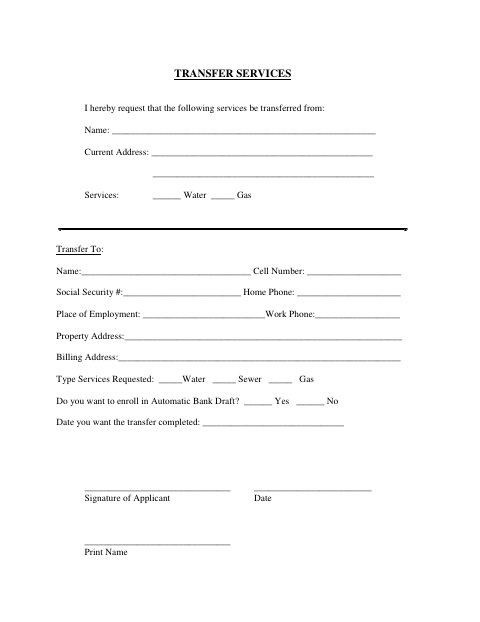
Use this form to request a transfer of utility services. It asks for the current and new customer names, contact information, property and billing addresses, services requested, automatic bank draft preference, and desired transfer date. The applicant signs, dates, and prints their name on the form.
Who needs it
An applicant requesting a transfer of water, sewer, or gas services can use this form to provide the requested account and property details.
How to submit it
Submit it to the city department named on the form; check the city website for current contact details.
About notarization
This document is signed without a notary; it contains no sworn attachment or related notarized step, so the applicant just signs and dates it.
How to submit this form
- 1
Download The Form
Download the Transfer Utilities form for Wrens.
- 2
Complete The Form
Enter the requested customer, contact, service, property, billing, and transfer-date information.
- 3
Review And Sign
Review your entries, then sign and date the form and print your name.
- 4
Submit To The City
Submit the form to the city department named on it; check the city website for current contact details.
Frequently asked questions
- What services can I request to transfer?
- The form lists water, sewer, and gas as services requested. It also asks which services are being transferred from the current customer.
- What information does the form ask for?
- It requests customer names, contact details, property and billing addresses, services requested, automatic bank draft preference, and the date you want the transfer completed.
- Do I need a notary for the Transfer Utilities form?
- No. This document is signed without a notary, and it does not identify a sworn or notarized attachment. The applicant signs and dates the form.
- How do I submit the Transfer Utilities form?
- The document does not give submission instructions. Submit it to the city department named on the form; check the city website for current contact details.