
Cedartown, GA · Polk County
Outside Fire Protection Application
Property owners, tenants, and property managers use this application to register a property for the City of Cedartown’s outside fire protection service.
What this form is
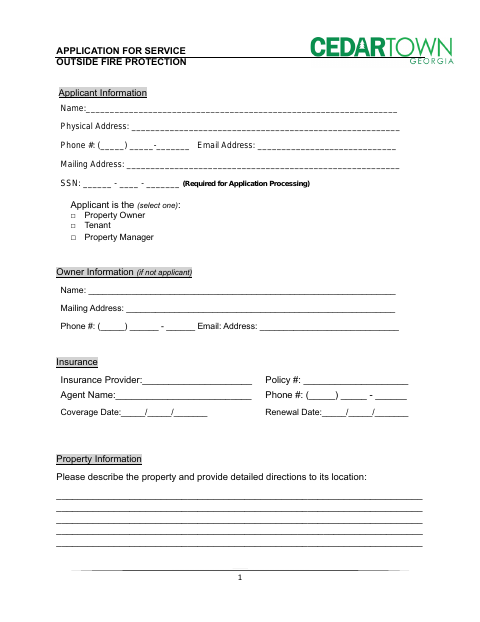
This application registers a property for outside fire protection service and includes applicant, owner, insurance, and property information. Applicants initial acknowledgements about their responsibilities, including an annual registration fee due before February 1, possible service-call charges, and a one-business-day wait before activation. The form also includes a signature and date line and a Fire Department review section.
Who needs it
A property owner, tenant, or property manager seeking outside fire protection service for a property in Cedartown should complete this application.
How to submit it
Submit it to the city department named on the form; check the city website for current contact details.
About notarization
This application is signed and dated without a notary; it mentions no notarized or sworn attachment, so the signer just signs and dates it.
How to submit this form
- 1
Download The Application
Download the Cedartown Outside Fire Protection Application PDF.
- 2
Complete The Form
Provide the requested applicant, owner, insurance, and property information, then initial each acknowledgement.
- 3
Gather Any Attachments
The form does not list required attachments.
- 4
Submit To The City
Submit it to the city department named on the form; check the city website for current contact details.
Frequently asked questions
- Who can apply for outside fire protection service?
- The form lets the applicant identify as the property owner, tenant, or property manager. It also requests owner information when the owner is not the applicant.
- What information does the application request?
- It asks for applicant and owner details, insurance provider and policy information, property details and directions, and the applicant’s initials on the listed acknowledgements.
- Do I need a notary for the Outside Fire Protection Application?
- No. The form provides a signature and date line but no notary block or notarized attachment; the signer just signs and dates it.
- How do I submit the Outside Fire Protection Application?
- The form does not give a submission address or method. Submit it to the city department named on the form; check the city website for current contact details.
Need something notarized?
This Outside Fire Protection Application doesn’t need a notary — but if you have another Cedartown form that does, a commissioned online notary can help.