
Sky Valley, GA · Rabun County
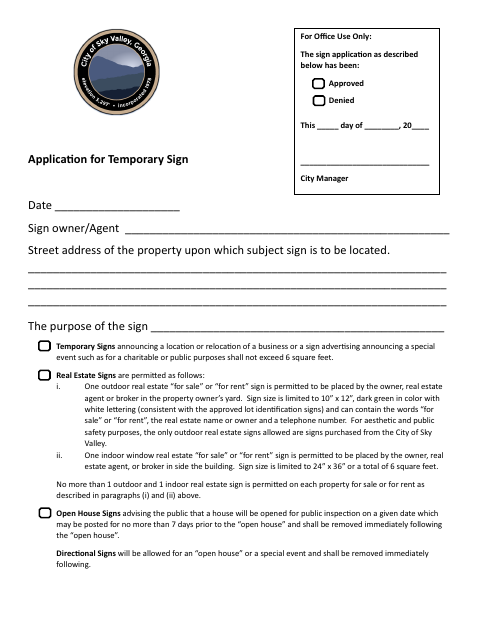
Application for Temporary Sign
Sky Valley property owners or agents use this application to request approval for a temporary sign at a property in the city.
What this form is
The application provides fields for the sign owner or agent, the property address, the sign’s purpose and content, and the applicant’s signature and contact details. It covers temporary signs such as event, real estate, construction, banner, and yard sale signs, with rules on size, placement, and removal. The city records approval or denial on the form.
Who needs it
A property owner or agent seeking approval for a temporary sign in Sky Valley should complete the application.
How to submit it
Submit it to the city department named on the form; check the city website for current contact details.
About notarization
This application is signed and dated without a notary; it identifies no notarized attachment or sworn step, so the applicant just signs and dates it.
How to submit this form
- 1
Download The Application
Download the Application for Temporary Sign PDF.
- 2
Complete The Form
Enter the date, owner or agent, property address, sign purpose and content, and applicant contact details.
- 3
Check Sign Requirements
Review the form’s rules for the sign type, including size, placement, and removal.
- 4
Submit To The City
Submit the completed application to the city department named on the form; check the city website for current contact details.
Frequently asked questions
- What information does the temporary sign application request?
- It asks for the date, sign owner or agent, property address, sign purpose and content, and the applicant’s signature, address, and phone number.
- Do I need a notary for the Application for Temporary Sign?
- No. This application has no notary block or notarized attachment; the applicant just signs and dates it.
- How do I submit the Application for Temporary Sign?
- Submit it to the city department named on the form; check the city website for current contact details.